Octopi Poker Review: Tournament GTO With Pro Hand Reviews
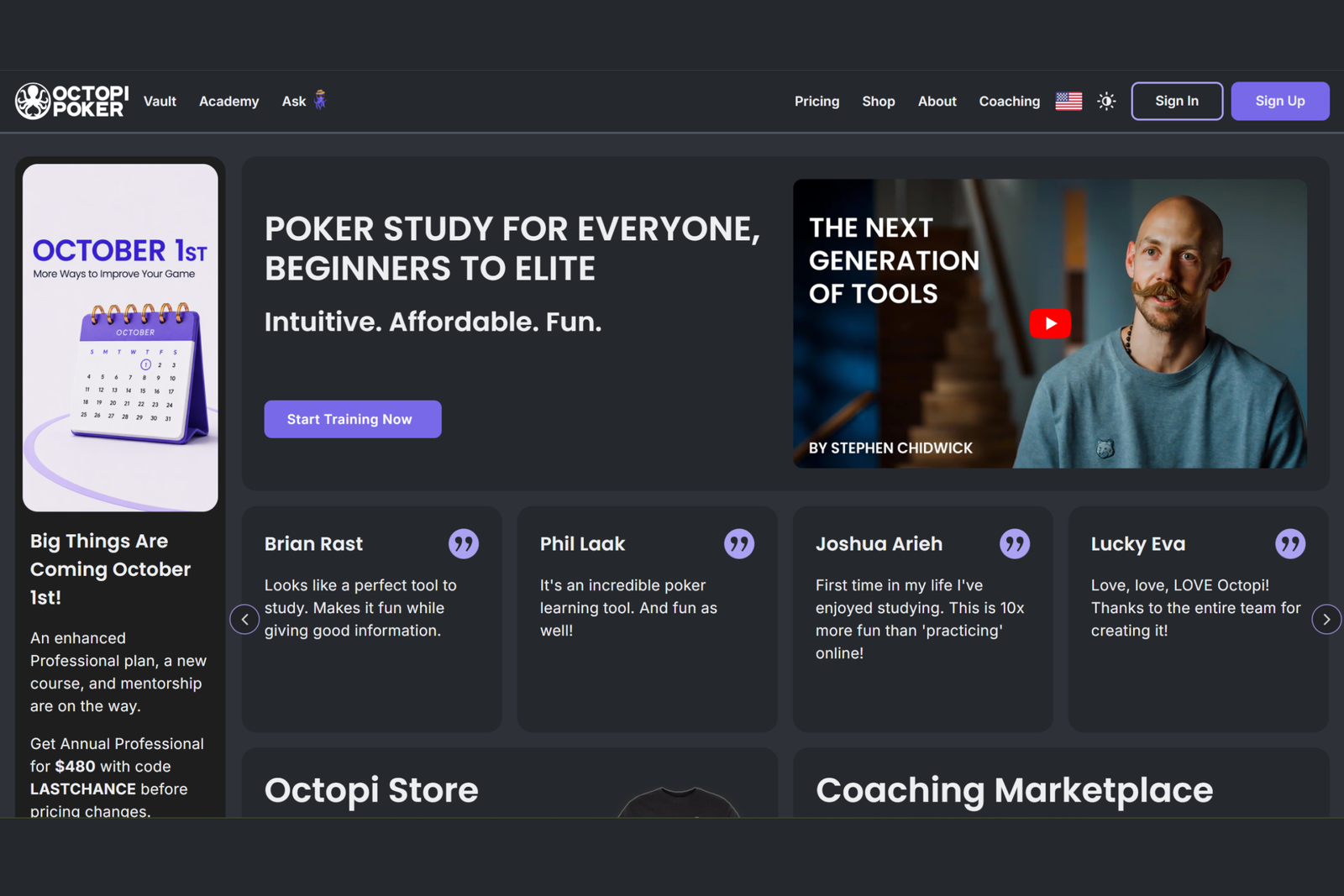
Octopi Poker is an online poker strategy training platform built around tournament hold’em. It combines four things in a single browser window that would normally require several different programs: a library of precomputed solutions, a trainer that evaluates every decision, analysis of your own hands, and a collection of real hands from major live tournaments complete with video footage.
The platform aims to make optimal strategy accessible to players who have never used solvers before. All calculations have already been completed and are stored on the server, the interface is contained within a single screen with no need to switch between windows, and the more complex sections include guidance from a built-in AI assistant. At the same time, the analysis is detailed enough for experienced players, with unequal-stack scenarios, ICM calculations, and reviews of specific final tables.
The Foundation: Precomputed Solutions Instead of Your Own Calculations
To understand how the platform works, you only need to become familiar with two concepts.
The first is a solver. This is a program that calculates the optimal strategy for a given situation: which hands each player should bet, call, or fold so that an opponent cannot exploit their strategy. A conventional desktop solver calculates such problems directly on the player’s computer, which can take anywhere from minutes to hours. Octopi Poker works differently: the calculations are completed in advance and stored in a library, so users simply find the relevant situation and view the precomputed answer. This is where the section gets its name: simulations, often shortened to “sims,” meaning precomputed models of how hands should be played.
The second is ICM (the Independent Chip Model). Tournament chips are not equivalent to money: the closer players get to the money and the larger the payout jumps become, the more valuable survival is and the more cautiously they need to commit chips to the pot. ICM converts the stacks at the table into expected shares of the prize pool based on the payout structure. A strategy calculated using this model differs significantly from one based purely on chip EV. Much of the tournament training on the platform focuses on this difference.
Everything else—the trainer, analysis of your own hands, and the repository—is built on the same library of solutions. Only the way you use it changes: in one case, you view the solution; in another, you make your own decision first and then compare it with the solution.
Solution Library: From Preflop Ranges to Final Tables
The simulations section serves as the platform’s reference library. It contains preflop ranges for every position at the table at stack depths ranging from approximately 10 to 100 big blinds, equal- and unequal-stack scenarios, hands played before and on the bubble, and final-table analysis. The library is regularly expanded.
A range is the set of hole cards used for a particular action in a given situation. It is displayed as a 13×13 grid, with the color of each cell indicating the frequency of an action. For beginners, this is the main practical tool: an early position such as UTG opens a significantly tighter range than the button (BTN), and the grids make it easier to see this difference for specific hands.
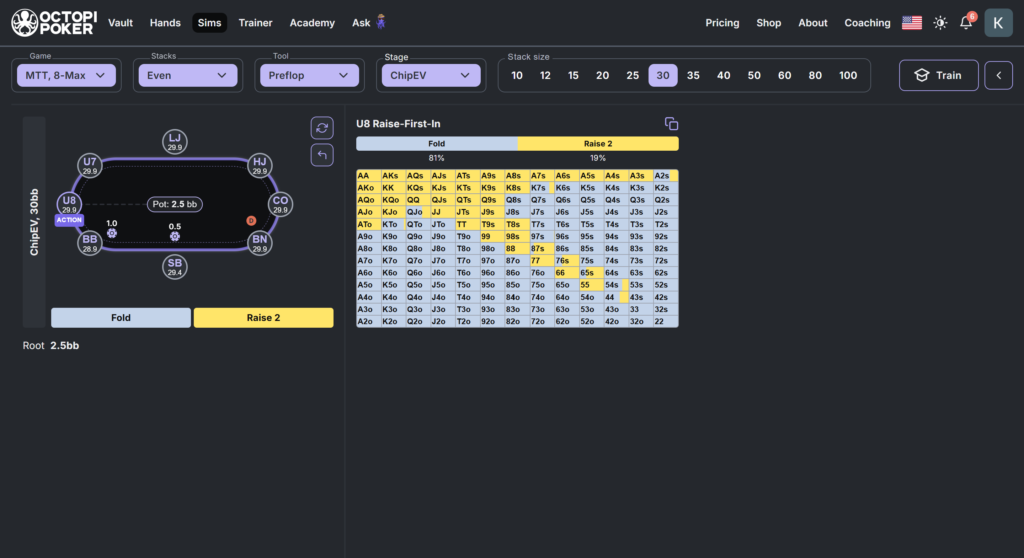
The comparison mode displays several grids side by side—for example, a cutoff (CO) opening range and a button opening range at the same stack depth, or the same open-raise at 20 and 40 big blinds. This makes it easier to see which hands are added to or removed from the range as the position or stack depth changes.
Another platform feature is the range map. It combines these transitions into a single visual, showing how the opening range expands as you move from early position (EP) through middle position (MP) to the small blind (SB), as well as where the boundaries lie. Memorizing borderline hands is easier with this map than with a dozen separate grids.
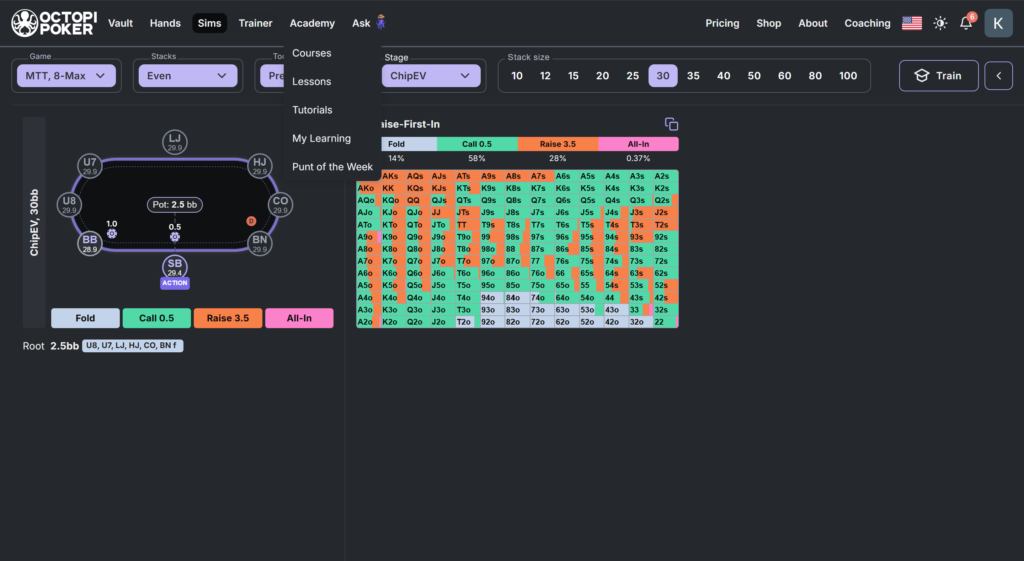
In addition to standard chip EV calculations, ICM calculations are available, and both versions of the same situation can be displayed side by side. This provides a clear answer to a common beginner question: why do some hands suddenly drop out of the range on the bubble despite having the same stack and position?
For more in-depth study, you can search the solution database by specifying positions, actions, and stack depths. The platform then finds an exact match or strategically similar hands.
Trainer: Get Immediate Feedback on Your Decisions
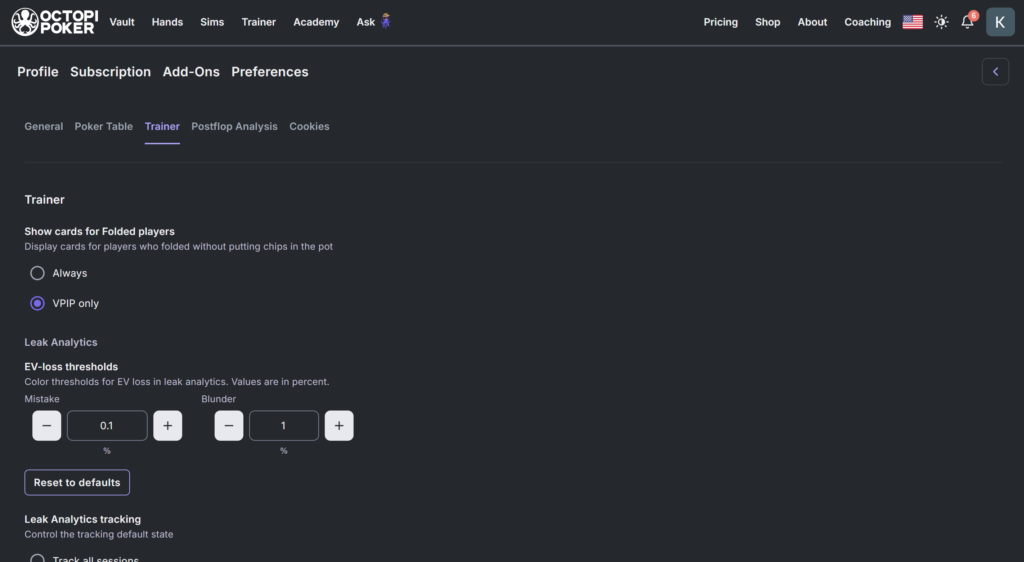
A reference library shows you the correct answer, but practice is what develops skill. In the trainer, you can configure scenarios for a specific training goal using a wide range of settings:
- format: 8-max tournaments, 6-max cash games, or heads-up;
- stage of the hand: preflop, postflop, or the entire hand;
- stack depth: approximately 10 to 100 big blinds;
- your position and your opponent’s position;
- previous action: folded to you, facing an open-raise, facing a 3-bet, and more;
- board texture: paired, containing a flush draw, ace-high, and others;
- hole-card classes: small pocket pairs, AK, or suited connectors.
Once the trainer starts, the platform deals random hands within the selected parameters and evaluates every decision immediately, showing whether it matches the optimal strategy. A game tree is also available alongside the hand. This branching diagram shows the available actions, and hovering over a node reveals the range used at that point: which hands raise, call, or fold. This is useful in borderline situations—for example, when T8s looks like a fold but you want to know whether T9s is played differently.
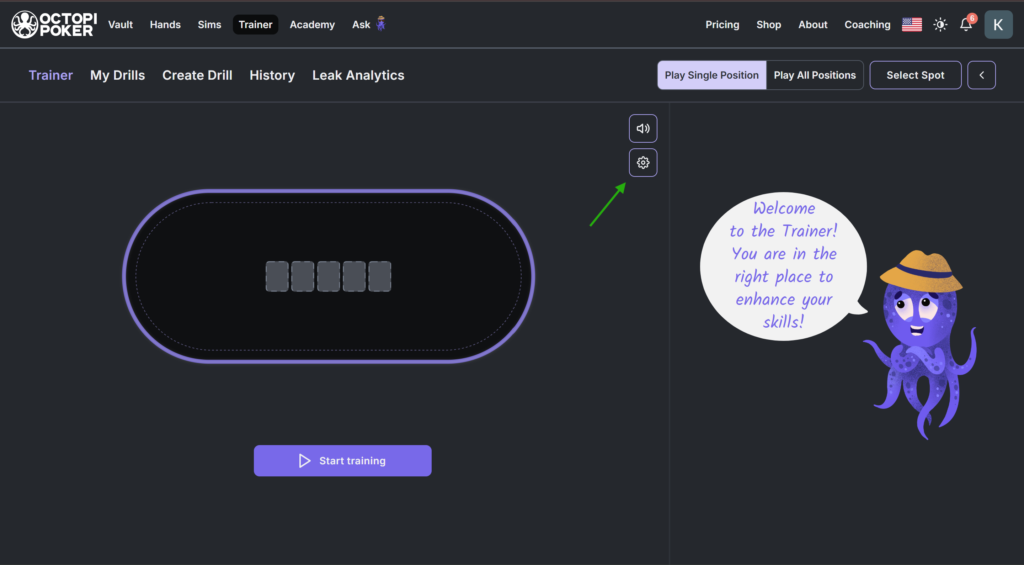
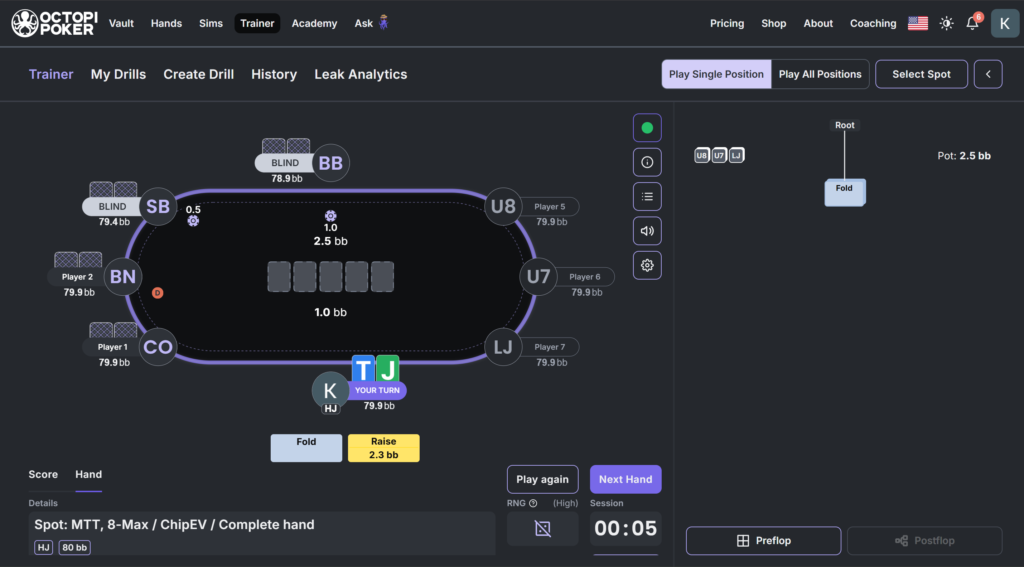
The practical benefit is straightforward. Instead of setting a vague goal such as “study strategy,” you can narrow your focus to one scenario—for example, defending the big blind (BB) against a button open at 25 big blinds—and practice it repeatedly until the decisions become automatic. If you do not want to study a specific spot, you can also launch the trainer without filters. It will then present a sequence of varied situations, making it suitable for warming up before a session.
Analyzing Your Own Hands
The “My Hands” section lets you connect your own play to the platform. Online hands can be uploaded as .txt hand history files, the format used by most poker rooms. If you receive a hand history as plain text—for example, in an email—you can simply save it as a text file and upload it. A separate uploader is available for ACR Poker and PokerStars, automatically transferring hand histories to the platform.
Live hands can be entered manually using the hand creator. You specify the tournament, players, payout structure, and sequence of actions to reconstruct a questionable hand from a casino or live tournament series.
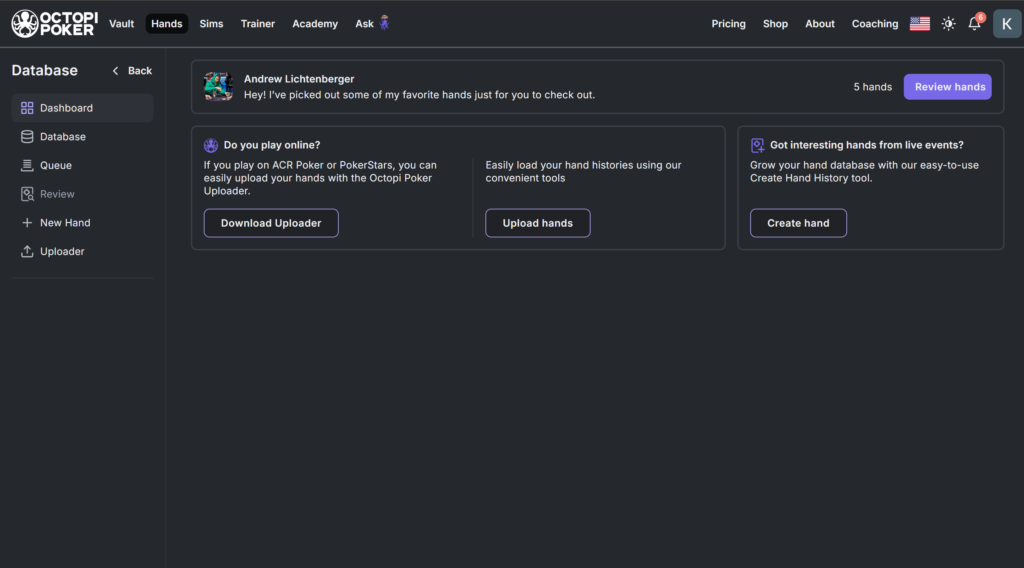
After being uploaded, the hand is matched against the solution library, revealing where your decision at the table differed from the optimal play. For beginners, this is the fastest way to identify recurring mistakes: one unsuccessful hand does not reveal much, but a series of similar deviations provides a clear topic to work on.
Repository: Pro Hands With Video Footage
The repository is the platform’s most distinctive feature. It is a growing collection of real hands from major tournaments, including Triton, the WSOP, PGT events, and others. A dedicated team collects hands from broadcasts, imports them into the platform, and runs them through the calculations. As a result, every hand is analyzed based on positions, stack depths, and tournament pressure.
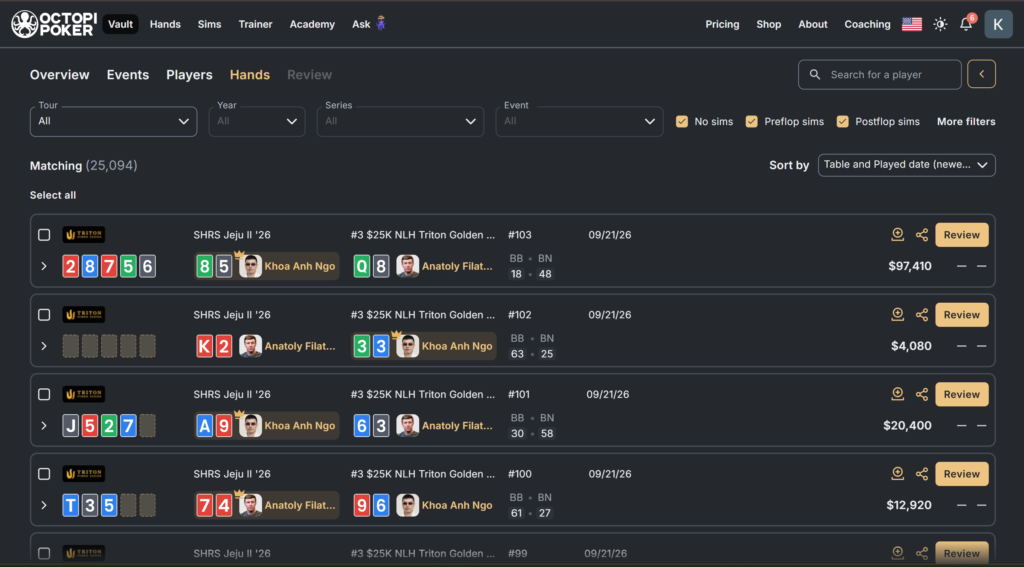
There are two ways to study these hands. The first is simply to watch the analysis alongside a clip from the broadcast, showing how the hand played out in real life. The second is more engaging: you can take the seat of a specific player and make the decisions yourself. Your results are then compared against two benchmarks—the action the professional actually took and the play recommended by optimal strategy.
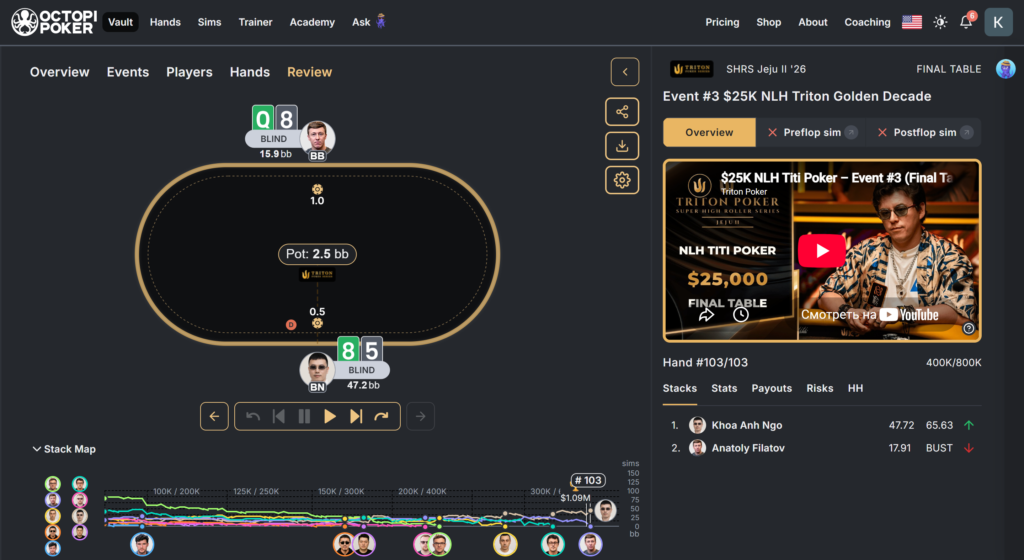
The player section contains a list of participants, the number of available hands for each one, and summary statistics such as total winnings, largest score, and the difference between actual and expected results—in other words, how lucky or unlucky the player has been relative to the calculation. The repository features more than 100 players, including Alex Foxen, Sean Winter, Ike Haxton, Daniel Negreanu, Fedor Holz, and Bryn Kenney.
For beginners, the value of this section lies in connecting theory with the realities of live poker. You can see not only which decision is considered optimal, but also what an experienced player did in the same spot and why their choice may have differed from the calculated strategy—perhaps because of their history with an opponent, their table image, or the specific dynamics of the tournament.
Assistant, Courses, and Community
The platform includes an AI assistant called Ask George. Through a chat interface, it can tell you where to find a particular section, explain how to set up an exercise and what different metrics mean, and answer strategy questions. For someone opening a solver for the first time, this removes the biggest obstacle associated with these services: not knowing where to begin.
The educational content is organized in the academy, which offers courses consisting of short videos, exercises, and quizzes. These include the “Beyond the Solver” course, which explains how to take advantage of common mistakes made by the player pool. Separate 12-week programs have also been offered in two tracks: one for players with no previous solver experience and another for advanced study of optimal strategy. Progress is shown on leaderboards, adding a competitive element.
The platform also has a community component, including weekly coaching sessions, a forum with a marketplace for private lessons, and a Discord community for discussing hands. The coaching marketplace features well-known tournament players, so users can supplement their studies with one-on-one coaching if they wish.
Formats, Supported Sites, and Limitations
The platform runs in any modern browser on any operating system. There is no separate desktop program to install and no dedicated mobile app. All calculations are stored on the service’s servers, so there are virtually no computer hardware requirements—a stable internet connection is all you need.
The supported poker variant is no-limit hold’em. The primary focus is tournaments: ranges, ICM, bubble play, final tables, and unequal stacks. The trainer also supports 6-max cash games and heads-up play, but the solution library and educational content are built primarily around tournament poker. Omaha and other poker variants are not available on the platform.
You can upload your own hands as .txt hand history files, and a separate uploader is available for ACR Poker and PokerStars. Live hands must be entered manually. The platform is not a tracker: it does not collect opponent statistics during play or display a HUD on poker tables. It is a study tool for use between sessions, not a real-time assistant at the table.
The commercial terms are another limitation to consider: purchases are non-refundable, and the available analysis depends directly on your subscription plan. On the free plan, the trainer is limited to button scenarios.
Getting Started
Getting started involves just a few straightforward steps.
- Sign up for the free Community plan. There is nothing to install, and access is available immediately in your browser.
- Review the preflop ranges for your usual stack depth and compare adjacent positions. This makes it easier to understand the logic behind opening ranges.
- Complete your first trainer exercise. Button scenarios are available on the free plan, which is enough to understand how decisions are evaluated.
- Upload several of your own hands if you already have hand histories from a poker room.
- Explore the repository and play through one or two hands from a professional’s seat. This is the clearest way to see how calculated strategy relates to real-world play.
- Upgrade to a paid plan once you know which types of analysis you need. For most players, these are ICM and final-table scenarios.
It is best to learn gradually. Each section of the platform works independently, so there is no need to master everything at once.
Pricing Plans
There are three plans. The free Community plan includes access to preflop ranges, a trainer for button scenarios, weekly coaching sessions, and the community. Personal adds range comparisons across stack depths, training for the most common tournament situations, postflop analysis, summary reports, and the ability to upload your own hands. Professional unlocks advanced tournament situations—including ICM, final tables, and unequal stacks—as well as full access to the hand repository.
A separate offer is periodically available to new users: 90 days of access to the highest-tier plan for $90, together with academy courses. A detailed description of the plans and prices is available on the product page.
Conclusion
Octopi Poker addresses several needs for beginning tournament players at once: it provides precomputed ranges instead of requiring users to run their own calculations, turns theory into exercises with instant feedback, incorporates personal hand histories, and shows how the world’s best players approach the same situations. Browser-based access and the AI assistant significantly lower the barrier that often discourages first-time solver users.
The platform is best learned gradually: start with preflop ranges for your usual stack depths, then use the trainer to study one situation at a time, move on to analyzing your own hands, and only then tackle ICM and final tables. In this order, each new section builds on material you already understand, preventing your studies from turning into endless wandering through range grids.

Featured software

Latest posts
-
 Poker Academy Review: Ranges, Solver, and Trainer in One Browser Window Oct 11, 2026
 -
 SmartHand Review: Opponent Stats Before the First Hand Oct 10, 2026
 -
 888Caption Review: A Tool for Fast-Paced Multi-Tabling Oct 9, 2026
 -
 Preflop ICM Solving in GTO Wizard: ICM-Aware Preflop Solutions in Seconds Oct 8, 2026
 -
 PLO Mastermind Review: Solver-Based Solutions and an Omaha Trainer Oct 6, 2026
All the poker software you need, gathered in one place. Exclusive discounts, bonuses, latest news and updates.
Join now