GTO Wizard: The Fastest GTO Assistant
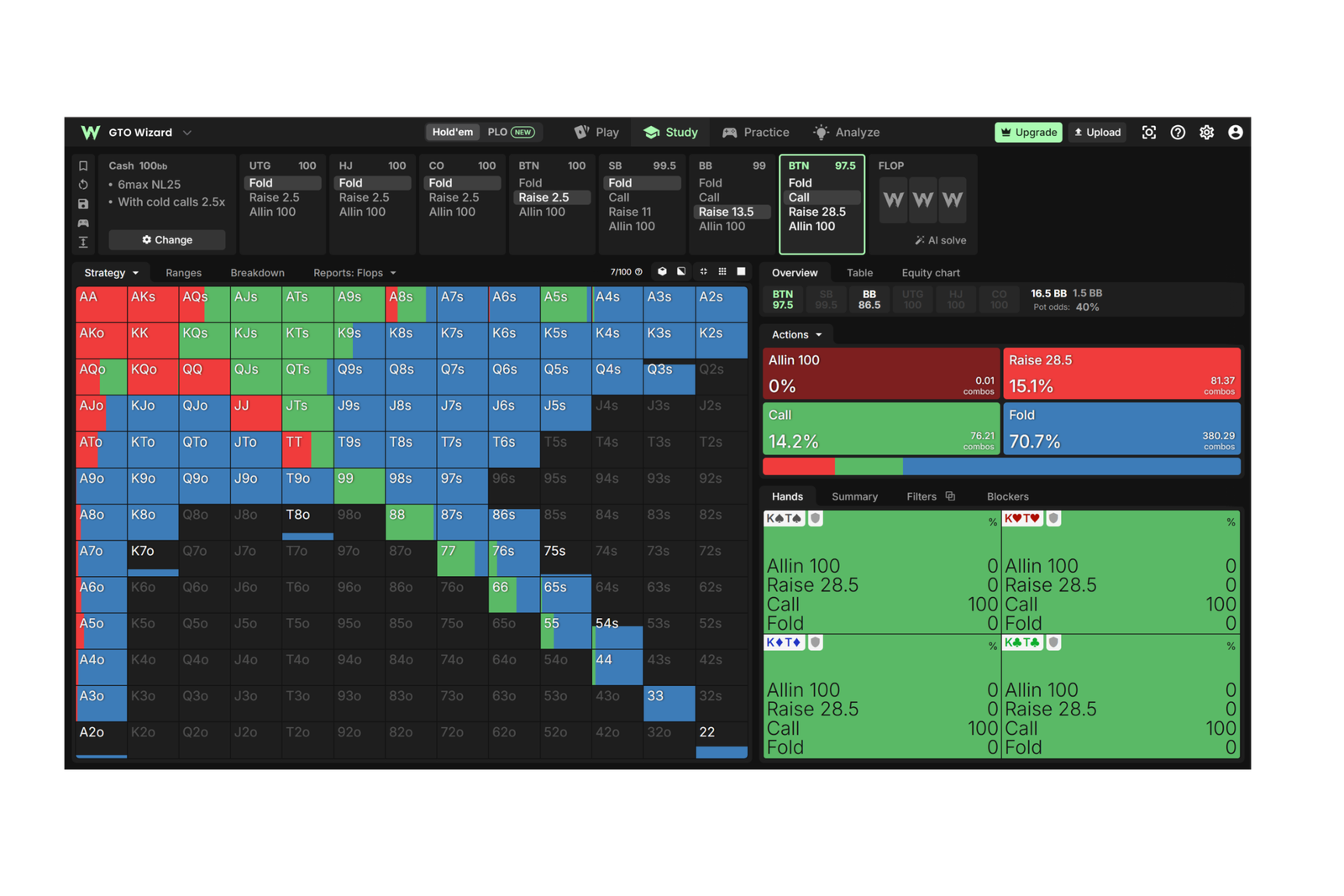
GTO Wizard is an online service for studying optimal poker strategy. It answers the central question of any review: how should an entire range of hands be played in a given spot, and what should you do with the specific hand you were dealt? The abbreviation GTO (game theory optimal) refers to a strategy calculated from game theory: it doesn’t adapt to a particular opponent, but it can’t be beaten either — nobody can win against it in the long run, no matter how they change their play.
The app handles three jobs. First, it shows the theoretically correct strategy for the spot you need. Second, it lets you drill that strategy in a trainer. Third, it reviews hands you’ve already played and finds the mistakes in them. All of it runs right in a browser, with nothing installed on your computer.
How It Works in a Nutshell
The calculations are done by a solver — software that works through the ways a hand can be played and finds a strategy an opponent can’t beat. An ordinary solver needs a powerful computer, and solving a single spot takes anywhere from a few minutes to a few hours. Here that step has already been done: the solutions were calculated in advance on the service’s servers and are stored ready to go. You don’t run a calculation, you open a finished result — roughly the way you’d open a web page.
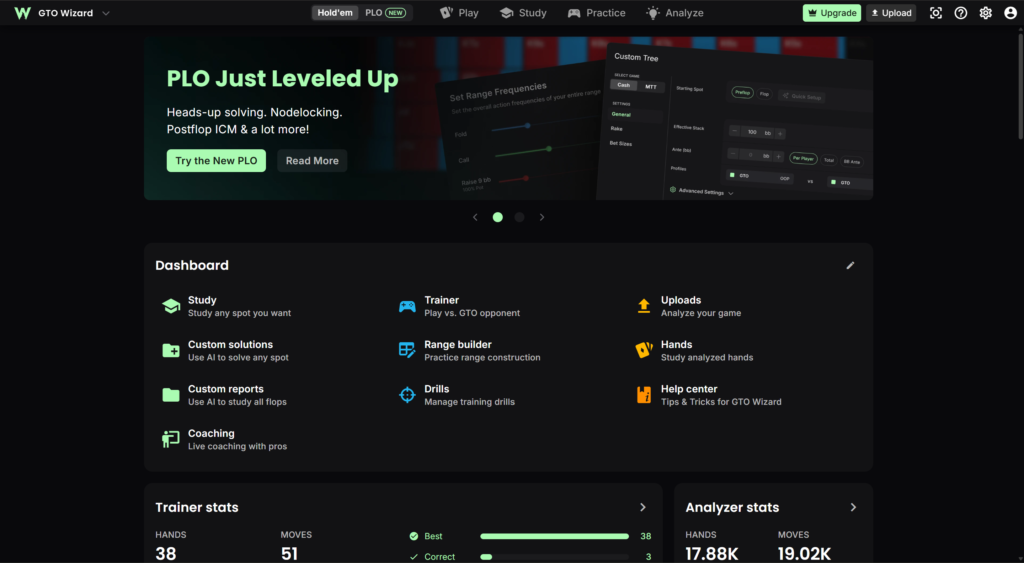
That’s where the whole logic of the app comes from. There’s a library: a set of pre-solved spots broken down by game format, stack depth, rake structure, and ante structure. There’s a study mode where that library is browsed. There’s a trainer that takes solutions from the same library and turns them into a game. There’s an analyzer that compares hands you’ve played against the closest solutions in the library. And there’s a custom solving mode for spots the library doesn’t cover.
It’s important to understand the difference between the two sources of strategy. A ready-made solution from the library opens instantly, but its conditions can’t be changed: ranges, bet sizes, and stack depths are fixed. A custom solve can be configured however you like, but it takes time and is only available on the higher plans.
The Library of Ready-Made Solutions
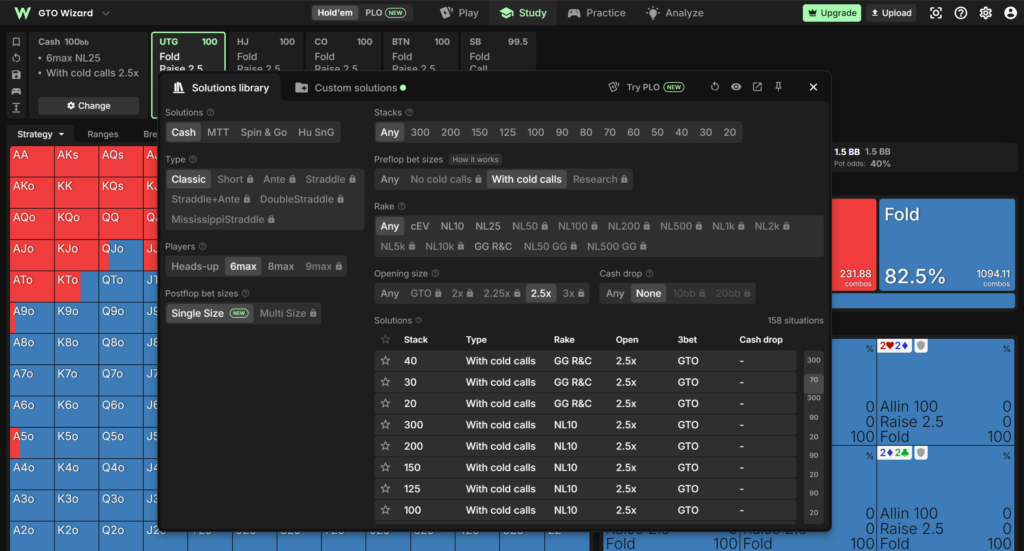
The library is the core of the app. It holds millions of solved spots across two broad areas: cash games and tournaments.
The cash section covers classic tables, ante games, and various straddle formats, including double straddles and the Mississippi straddle. There are different rake structures, including ones specific to individual rooms, along with different stack depths and different open sizes. The tournament section includes regular MTTs, bounty tournaments, Spin & Go, and heads-up sit-and-gos, plus solutions that account for ICM — the model that converts chip value into tournament money (a tournament chip doesn’t have a fixed price: on the bubble and at a final table, the same chip is worth more than it was at the start).
Solutions come in several types, and this matters for a beginner. Full solutions use many bet sizes at every point — they describe the theory most accurately, but learning a strategy like that and applying it at the table is nearly impossible. Simplified solutions leave fewer options. There’s also a “single-size” solution type where only one bet size is used on each street: the most profitable one available. Solutions of this type cover the whole library, and they’re the sensible place to start — the fewer options there are, the easier it is to see the pattern and carry it into your game.
How to Read a Strategy in Study Mode
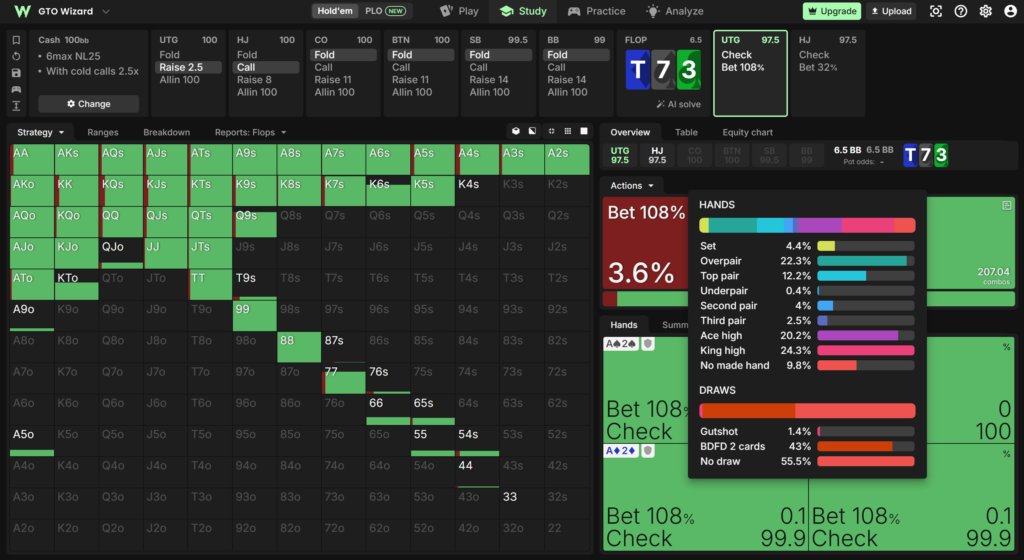
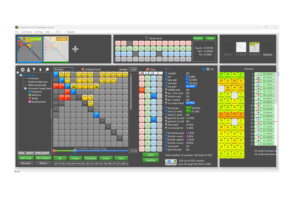
The main element of the interface is the 13×13 matrix, the familiar grid of all starting hands. Each cell is filled with action colors: one share for raising, another for calling, a third for folding. If a hand is shaded in two colors, that isn’t an error but a mixed strategy: theory calls for playing it different ways at particular frequencies. A beginner doesn’t need to reproduce those proportions literally — it’s enough to see that the hand sits on the border between two decisions.
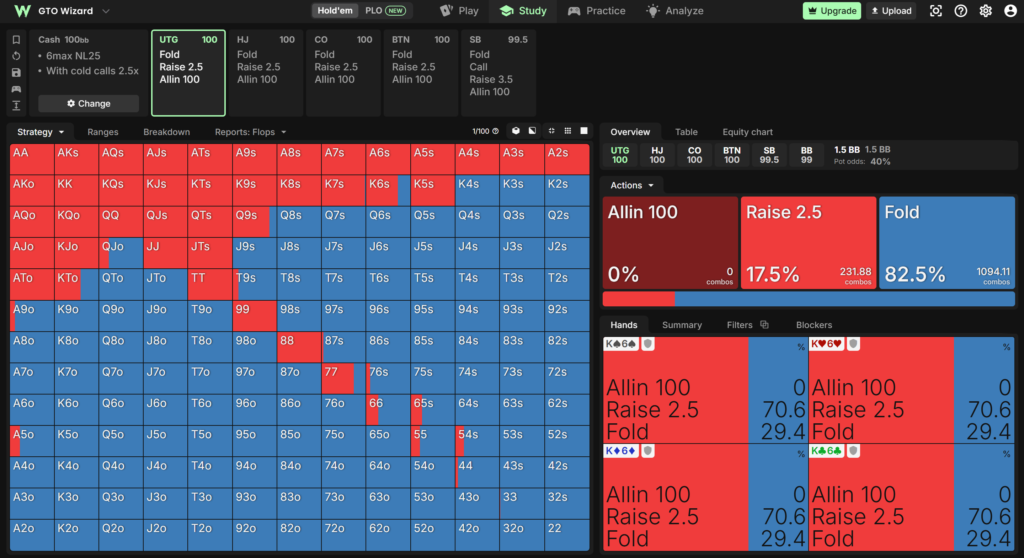
Below the matrix are the summary numbers: the overall frequency of each action, expected value (EV) — the average number of chips an action brings in over the long run — and equity, meaning the share of the pot a hand wins on average by showdown. The difference between equity and EV is fundamental: a hand can win at showdown often and still lose money when played aggressively, and vice versa.
For postflop there’s a separate breakdown tab. It groups hands by strength and shows how the strategy shifts as a hand gets stronger: where calls begin, where raises appear, and where even decent hands are already being folded. Additional filters let you isolate specific categories — only draws, say, or only sets — and see how that particular group is played.
There’s also a comparison mode that displays the strategies for all positions at once. On a single screen you can see how the CO, BTN, SB, and BB respond to a UTG open. This view helps you learn not individual ranges but a rule: how the threshold for entering a pot changes as you move around the table.
The Trainer
Looking at ready-made solutions is useful, but at the table there’s no time for that — the correct action has to come to you on its own. That’s what the trainer is for: you play hands against an opponent following the optimal strategy, with the conditions set in advance — format, position, stack depth, and type of spot.
After every action, the app shows how much worse your choice was than the best one. The mistake is measured in chips lost, and that matters more than a simple right/wrong split: some decisions are nearly equivalent and the loss there is close to zero, while one gross error in a big pot costs more than a dozen small inaccuracies.
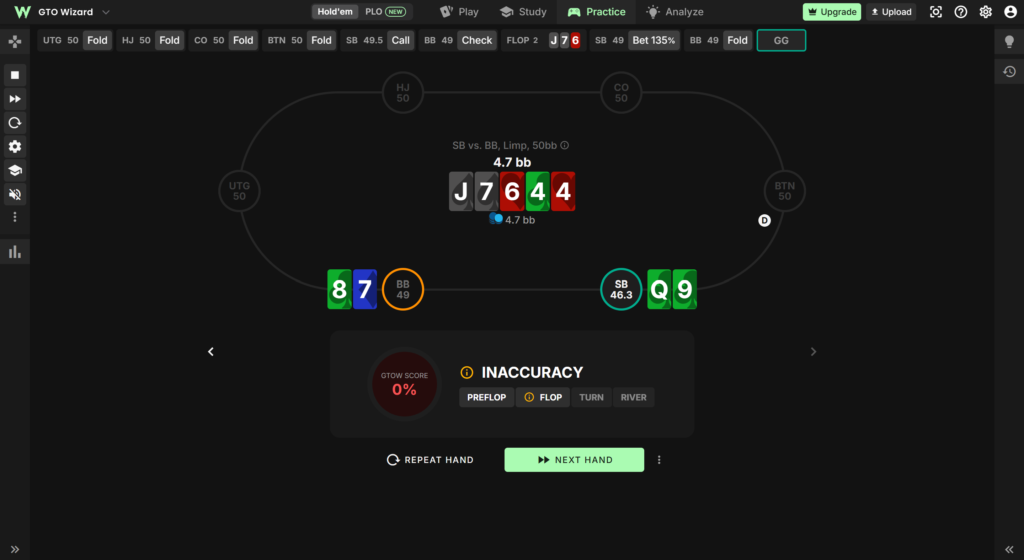
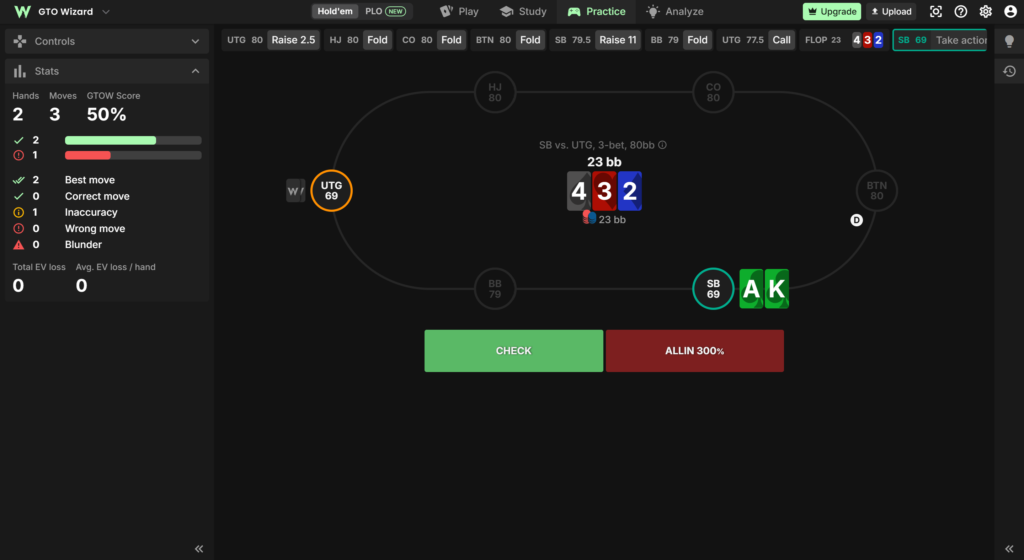
The trainer is built as a full-featured practice environment. Session settings are saved as ready-made drills so you don’t have to configure them from scratch each time. A side panel shows, as you play, the strategy for your current hand, for the whole category of similar hands, and for the entire range. You can open up to four tables at once, which brings the drilling closer to real multi-tabling. Training on a specific line can be configured separately — only turn bets after a flop check, for instance. A wrong action can be undone so you can see how the hand would have developed otherwise.
Statistics are kept by session: overall accuracy, losses in big blinds per 100 hands, and a breakdown by position and street. It’s a convenient way to see exactly which part of your game is lagging.
Reviewing Hands You’ve Played
The second way to find mistakes is to bring your own play into the app. Hand histories are exported from a poker room or a tracker into a text file and uploaded to the analysis section. You can upload a single hand or an entire database covering several months.
The app compares every action against the closest matching solution in the library and assembles the results into a table that can be sorted by the size of the loss. The top rows of that table are your most expensive mistakes. Any hand can be replayed step by step to see what each action cost, and one click takes you to the full solution for that same spot in study mode.
The analysis has limitations worth knowing about up front. Hand histories have to be in English — the client language can be switched in the room’s settings if necessary. Spots the library has no solution for are skipped, chiefly postflop situations with three or more active players. Real bet sizes are matched to the closest ones in the library — a 3 big blind open is compared against the solution for 2.5 — and at micro stakes, where non-standard sizes are common, that noticeably reduces accuracy. The river is calculated separately, using the actual stacks and bets from the hand, so the numbers there can diverge slightly from the library values.
The monthly limit on how many hands can be analyzed depends heavily on your plan: on the free plan it’s just a few hands, on Starter it’s 100 a month, which is enough for reviewing individual close spots but not whole sessions. Serious work with a database starts at Premium, where the limit runs into the tens of thousands of hands.
Reports
Reports show you a pattern rather than a single spot. Preflop reports compare the frequencies from your uploaded hands against the theoretical ones: how often hands were opened from each position, how often a 3-bet went in, how often it was called. Deviations show up immediately and point to exactly what needs fixing.
Aggregate reports work differently: they take one preflop spot and run it across all 1,755 strategically distinct flops, showing how the strategy changes with board texture. That makes it clear why a c-bet goes in almost always on some boards and almost never on others. Results can be filtered by board type: paired, monotone, rainbow, connected. Prepared reports are available from the Premium plan, and reports on your own parameters from Elite; the latter consume computation credits, a monthly allowance of which comes with the higher plan.
Custom Solves and Playing Against a Suboptimal Opponent
The library covers standard spots, but not all of them. For everything else there’s a custom solving mode: you set both players’ ranges, bet sizes, stack depth, rake and ante structure, and starting street. The result is calculated on the servers and opens in the same interface as the ready-made solutions.
The most useful part of this mode is modeling an opponent’s mistakes. The optimal strategy by definition exploits nobody; profit comes from playing against specific weaknesses. The app lets you lock an opponent’s frequencies at a chosen point — specifying that they almost never 3-bet, for example — and re-solve the hand. In response, the solver shows you how to punish that tendency: the opening range widens, the bet sizes change.
A broader tool is behavior profiles. A profile describes not a single point but a whole playing style: a tendency to fold under pressure, an appetite for aggression at signs of weakness, and so on. A profile is applied across the entire game tree, and against an opponent like that you can not only solve but also play in the trainer — drilling the necessary adjustments until they’re automatic. Profiles can be chosen from ready-made ones or built by hand.
Solves for three or more players, including preflop at a full table of up to nine, are reserved for the top plan. That plan also includes the preflop tree builder: it lets you set different sizing schemes for different positions, assign separate raise sizes in and out of position, increase the size when limpers or cold callers are present, and decide who is allowed to limp and cold call in the first place. Simple multiway preflop spots with stacks up to 10 big blinds are solved for free, which is a convenient way to try the mode out before buying a subscription.
Tournament Features
The tournament side is built around ICM. You can feed in the payout structure, the number of players remaining, and the stack distribution, and get back a strategy that accounts not for the number of chips but for their real value. Bounty tournaments are supported as well: you specify the bounty for eliminating a particular opponent and the average bounty across the field.
The section with solved hands from major tournaments deserves a separate mention. Final tables from well-known series have been solved in full and linked to broadcast footage: you can watch how a professional played a spot and immediately compare it against the theoretical solution. Part of this section is open even on the free plan.
Omaha
Besides hold’em, the app supports pot-limit Omaha. The app has its own library of preflop solutions — cash and tournaments, various stack depths and rake structures — plus heads-up solves fully configurable from preflop through the river, opponent frequency locking, behavior profiles, and postflop solves that account for ICM.
The main difficulty with Omaha is that there are hundreds of thousands of starting combinations, and the usual hand grid doesn’t work. The app solves this with a separate representation: hands are grouped by their two highest cards into the same 13×13 matrix, while suits and lower cards are handled through filters. The strategy stops being an endless list and becomes a readable picture.
Compatibility: Formats and Sites
The app runs in a browser, so the operating system doesn’t matter: Windows, macOS, and Linux all work, as does a browser on a phone or tablet. There’s nothing to install or update, all data is stored on the service’s servers, and you can log into your account from any device. The flip side is that without an internet connection there’s no access.
Supported games: no-limit hold’em and pot-limit Omaha. Formats: cash games (including with antes and straddles), MTTs, bounty tournaments, Spin & Go, and heads-up sit-and-gos.
Compatibility with poker rooms comes into play in hand analysis. Histories are taken from a room’s client or from a tracker and uploaded as a text file. Around two dozen sites are supported, among them PokerStars, GGPoker, 888poker, partypoker, Winamax, WPN (ACR), Ignition, iPoker, CoinPoker, and Unibet, along with club apps like PokerBros, PPPoker, and UPoker. Rooms that don’t save full histories to disk require a third-party converter. File requirements: English language, and no opponent cards in the text of the hand.
There’s also a free desktop app for multi-tabling, with hotkeys, a bet size slider, and prompts for bet sizes and stacks. Its main benefit for analysis is that the hands you play are uploaded to your account automatically, with no manual file exports. The app is released for Windows.
The rules deserve a separate word. The app is intended only for studying theory and reviewing hands you’ve already played. Using it during play is prohibited: real-time assistance violates the rules of both online rooms and live tournaments, and the usual penalty is an account ban with confiscation of funds. The service itself has a stake in this: it works with poker networks and provides a verification tool that shows whether a specific board was solved in the service during a given time window. Nobody prohibits studying theory between sessions, though — that’s exactly what the service was built for.
Getting Started
Getting going comes down to a few steps.
First, register. A free account is enough: no payment card is required, there’s no expiration date, and both formats are available right away. The free plan lets you view up to 100 preflop solutions a day, open one postflop spot a day, and play 10 hands in the trainer. That’s enough to tell whether the interface suits you.
Second, get comfortable with study mode on simple preflop spots. It’s sensible to start with opens from different positions at 100 big blinds deep and with responses to opens. At this stage it helps to switch the solution type to single-size: the fewer bet options there are, the clearer the logic.
Third, the trainer. Limit your first sessions to one position and one type of spot, and after each hand look at the hint and check against the strategy for the whole range, not just your own hand.
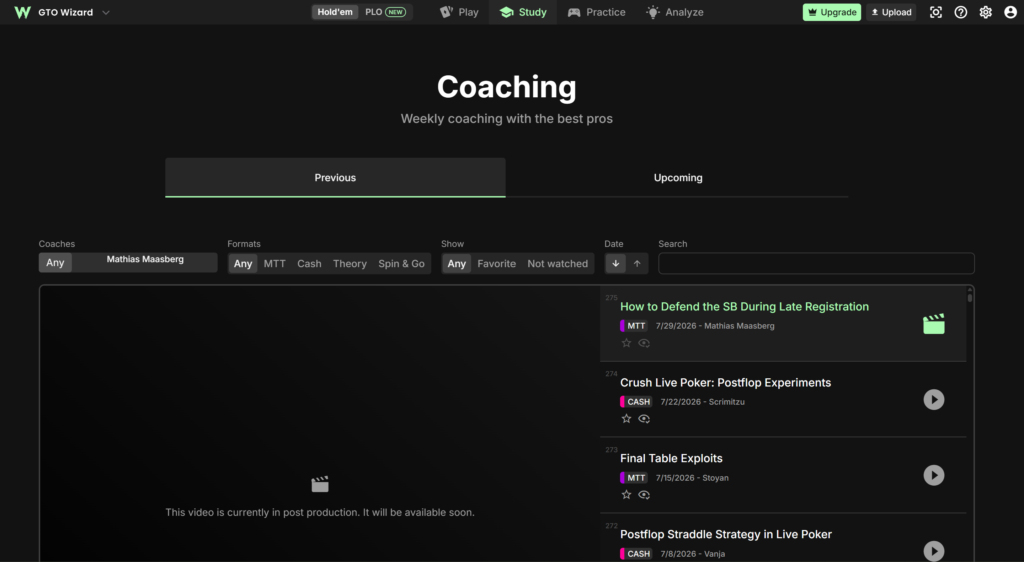
Fourth, the study plans. The app has built-in courses with video lessons and assignments: one on theory fundamentals for cash, another on tournament fundamentals. For a beginner this is the simplest way to avoid drowning in the sheer volume of material. Recorded sessions with coaches and regular live sessions where you can ask questions are available as well.
Fifth, reviewing your own hands, once you’ve built up some volume. Start the review at the top rows of the loss table: a handful of repeating mistakes usually accounts for most of what you’re losing.
Pricing
There are five plans: free, plus Starter, Premium, Elite, and Ultra. A paid subscription covers one format — cash games or tournaments; studying both requires two subscriptions. The tool set is the same in the cash and tournament versions, and only the library contents differ. Your plan determines the size of the library, the monthly limits, and which tools you get.
The free plan gives a limited number of solutions per day and a small trainer allowance. Starter opens the library for basic stakes and depths, the learning materials, and a small hand analysis allowance. Premium removes the restrictions on two-player postflop solutions and opens the full library for your chosen format. Elite adds custom solves for two players, frequency locking, and opponent profiles. Ultra is meant for solves with three or more players and includes the preflop tree builder.
Annual billing costs about a fifth less than monthly. A detailed breakdown of plans and prices is on the product description page.
The Bottom Line
For someone new to online poker, GTO Wizard is valuable above all because it takes the technical side out of the equation: no powerful computer, no waiting for calculations, no learning solver settings — the theory is available immediately, ready to use. Together with the trainer and automatic hand analysis, that covers the full learning cycle: see what’s correct, drill it in practice, and check it against your own play.
It’s best picked up gradually. Start with preflop in simplified form, then the most common postflop spots, and only after that move to custom solves and working against opponents’ mistakes. Trying to take it all in at once backfires: the volume of information here is plainly more than anyone can absorb in one pass. The first few months are comfortably covered by the lower plans, and the need for the higher ones shows up when the ready-made library genuinely stops being enough.

Featured software

Latest posts
Get GTO Wizard with exclusive discount and access to the most comprehensive GTO solver and training platform.
Get GTO Wizard Discount