iPoker Tools
A multi-tabling utility for the iPoker network that arranges tables and shows a HUD with opponents' action history, speeding decisions across tables. Read full review
Screenshots
Pros & Cons
| Pros | Cons |
|---|---|
| Approved by the iPoker network | iPoker network only |
| Dynamic HUD | Windows only |
| Table stacking | Limited number of activations |
| Bet-sizing templates | Client language restriction |
| 31-day free trial | |
| No third-party tracker required |
Description
iPoker Tools is an add-on tool for players on the iPoker network — the alliance of poker rooms running on the same Playtech software with a shared player pool, including bet365 Poker, Betfair Poker, William Hill Poker, Paddy Power Poker, Betsson Poker, and other skins. The tool is built for players who work several tables at once and want to spend less time on routine actions and interface setup at each of them.
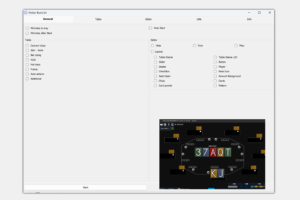
Most of its features center on organizing your workspace. The tool arranges tables across your screen or multiple monitors according to a layout you define, automatically adds new tables to that layout as they open, and highlights with a colored border whichever table needs a decision. Hotkeys and mouse buttons for standard actions — fold, check-raise, bet — can be set up separately, along with bet-sizing templates for preflop and postflop, so you don’t have to type in a bet size by hand on every hand.
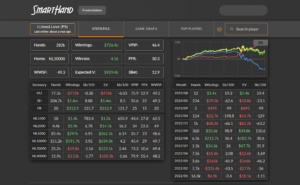
To help you read the situation at the table, the tool converts stacks, bets, and the pot into big blinds and displays a built-in HUD showing an opponent’s position, their action history for the hand, M-value, pot odds, and other stats right over the table. Every HUD element can be customized to your liking — from font and transparency to the conditions under which a value gets highlighted in a different color.
iPoker Tools doesn’t require installing a tracker or any other third-party software and works fine as a standalone tool, but if you do use it alongside a tracker, it becomes a requirement for the dynamic HUD on iPoker’s Speed tables — without it, a tracker can’t collect stats at that pace of play. The tool runs on any version of Windows and is officially sanctioned by the iPoker network, which removes any concern about account restrictions simply from using it.
You can learn the tool at your own pace: basic table arrangement and hotkeys take just a few minutes to set up, while finer details like conditional HUD highlighting or custom stat formulas can be picked up later, as you need them during play.
Pricing
-
Free trial — 31 days, full functionality with no restrictions (log in using "demo" as both the username and password).
-
Annual license — $40 per year, with two online activations on different devices, tied to your hardware; you can reset an activation for free if you switch computers.