iPoker Tools Review: The Official Multi-Tabling Assistant for the iPoker Network
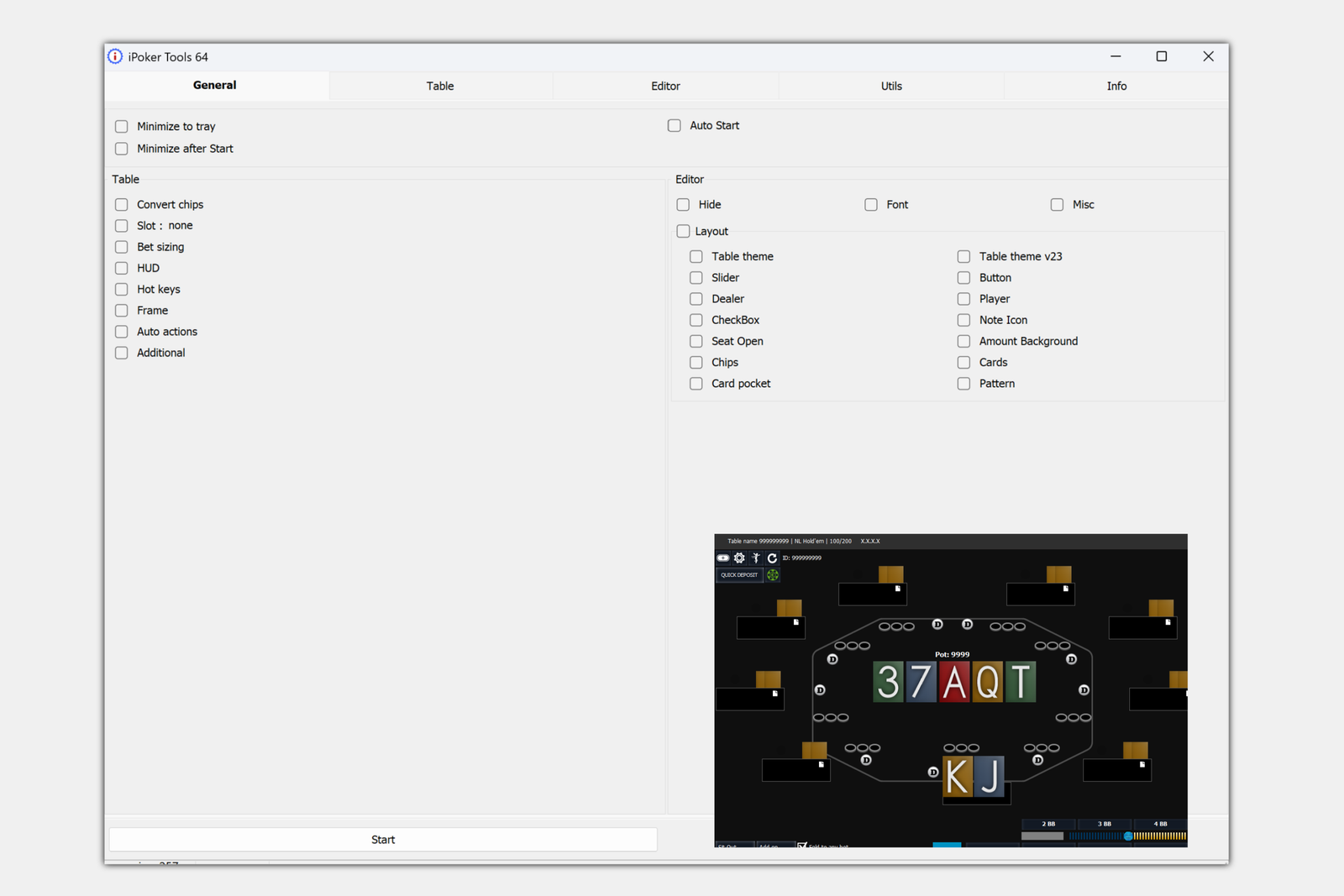
iPoker Tools is an add-on for playing on the iPoker network, a group of poker rooms that use Playtech software and share a common player pool and tournament schedule. The network includes more than twenty skins, such as bet365 Poker, Betfair Poker, William Hill Poker, Paddy Power Poker, and Betsson Poker. The program runs on top of the standard poker room client and handles routine tasks that make it difficult to play multiple tables at once: arranging windows, repeatedly entering bet sizes, and visually tracking opponents’ stacks and positions.
The program is primarily aimed at beginners who have started playing multiple tables and found that the standard client interface is not enough. Below, we break down what iPoker Tools offers and how its features can be used in practice.
What the Program Includes
iPoker Tools only works alongside an iPoker network client—it cannot be launched independently of a poker room and does not work on other networks. Once launched, the program overlays the table windows and adds a HUD (heads-up display), a panel showing statistics and hand information directly on the table without requiring you to switch to another window.
Unlike traditional poker trackers, the program does not pull statistics from hand histories. Instead, it displays what is happening at the table right now: stacks, bets, and the pot converted into big blinds, each opponent’s position, their action history in the current hand, and calculated metrics such as pot odds. Some of this information is also commonly provided by poker trackers. When used alongside a tracker, iPoker Tools handles the on-table display while the tracker collects statistics from the hand database.
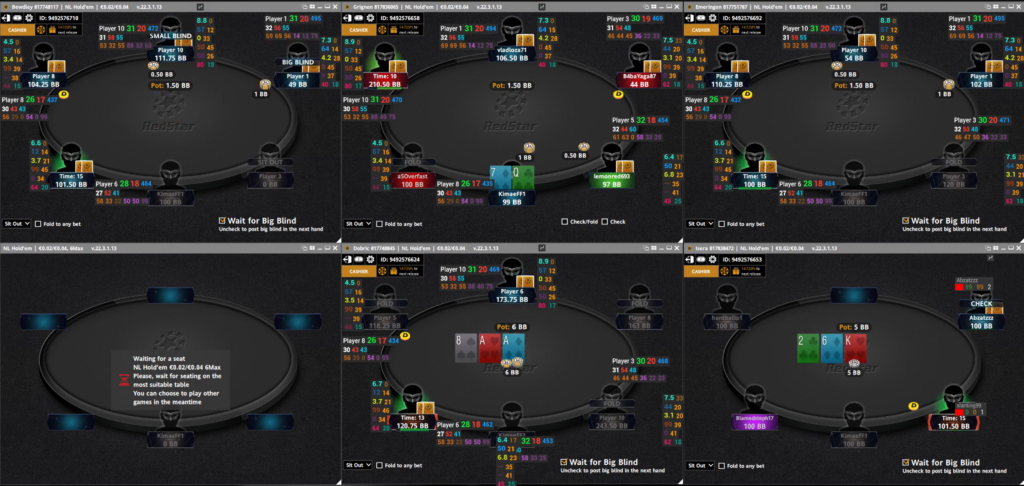
Table Layouts and Multi-Window Management
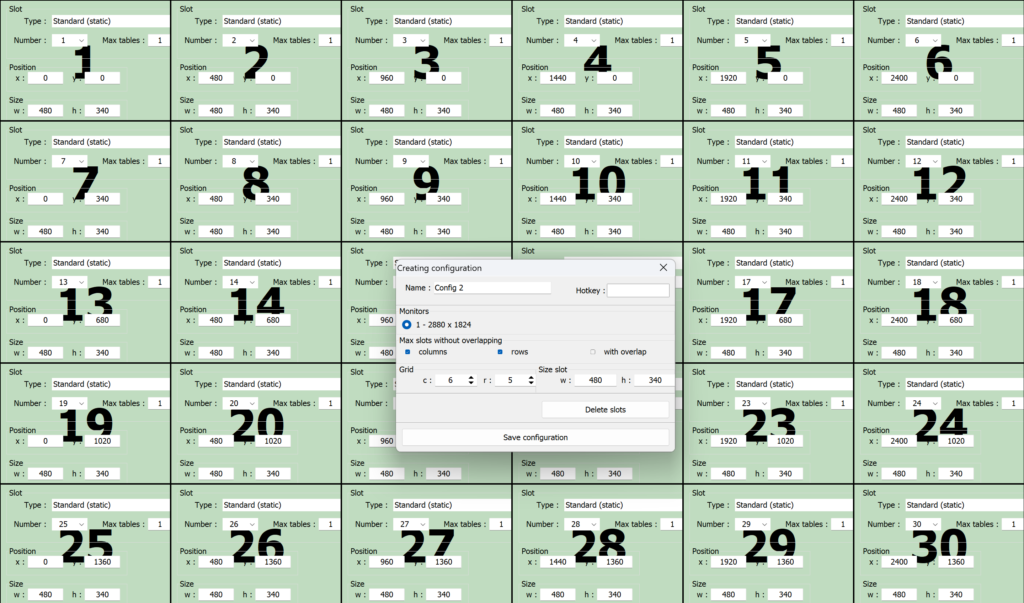
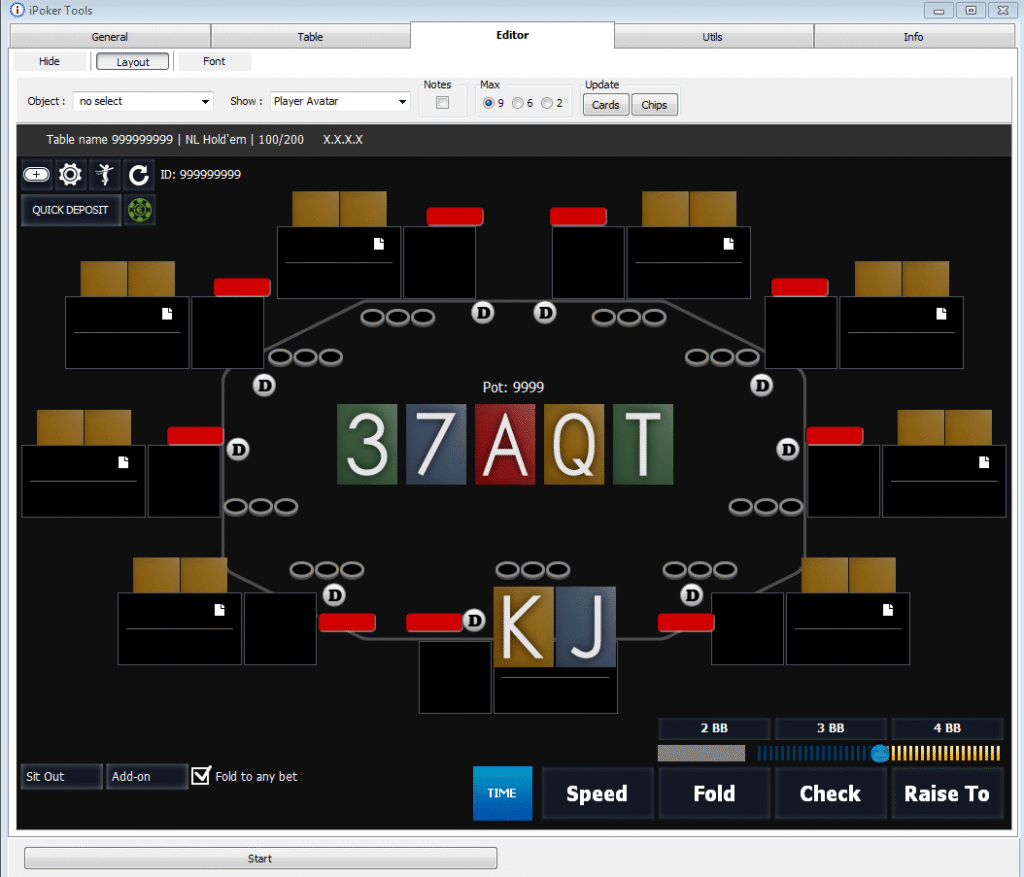
One of the main purposes of iPoker Tools is to eliminate the need to arrange windows manually when multi-tabling. The program automatically places tables on one or more monitors according to a predefined layout and adds each new table as soon as it opens, so you do not have to pause your session and manually fit the window into the grid.
The table requiring action is highlighted with a colored border, making it easy to spot the right window even when many tables are open. You can customize the border’s color and thickness, as well as the window layout itself, to suit your number of monitors, window sizes, and preferred table order.
Hotkeys and Bet-Sizing Presets
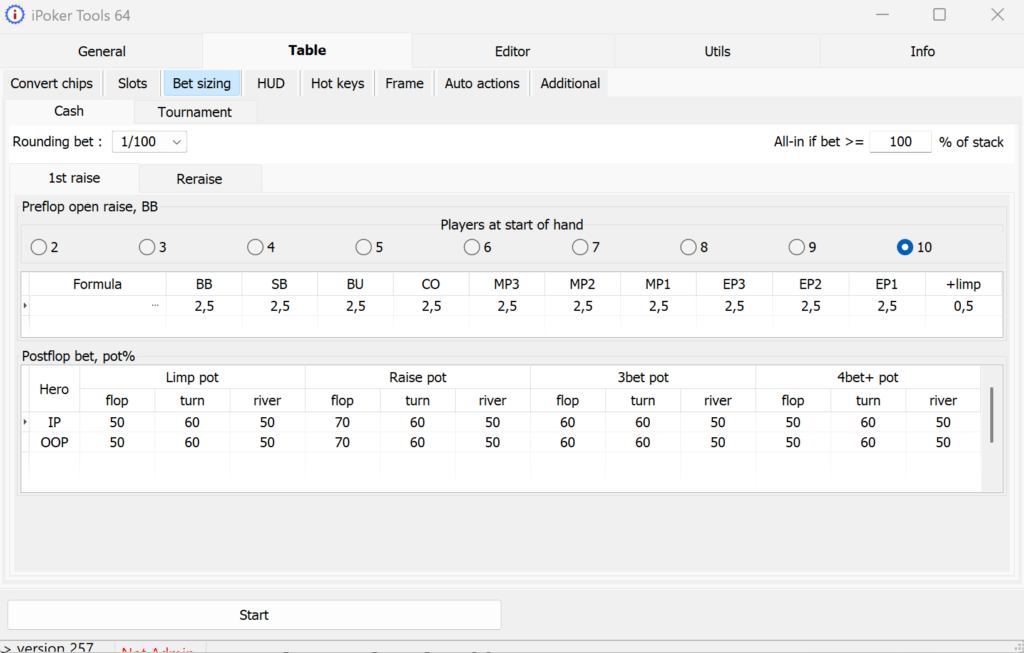
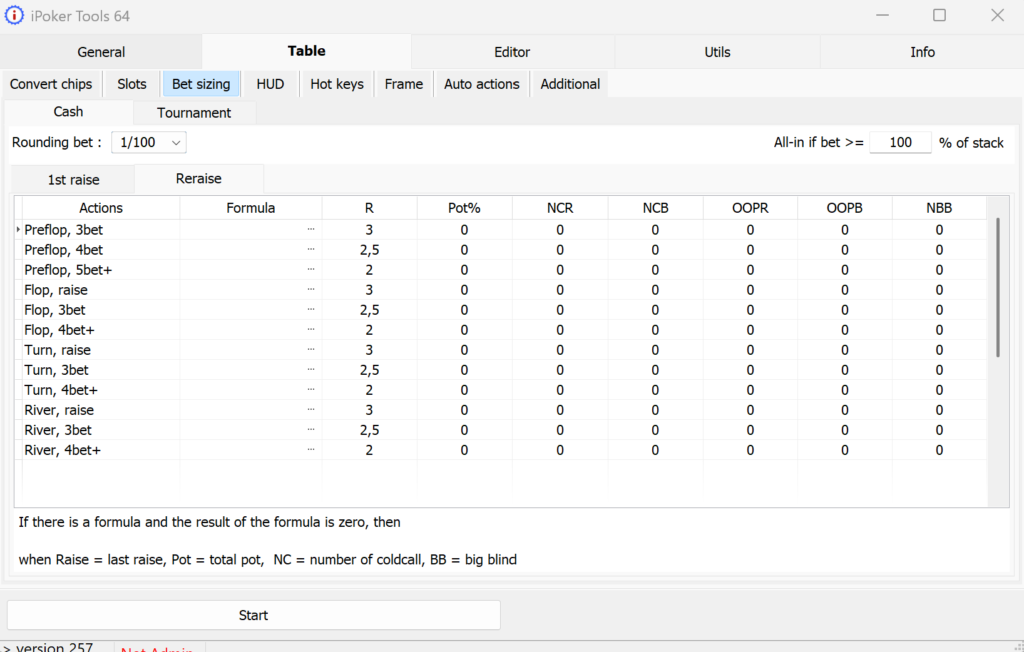
You can assign keyboard shortcuts and mouse buttons to in-game actions such as folding, check-raising, calling an open raise, and betting, so you do not have to move the cursor to the relevant button every time. You can also configure separate bet-sizing presets for preflop and postflop play. The program automatically suggests the required bet size—for example, as a percentage of the pot or in big blinds—so you only need to press a hotkey instead of entering the amount manually in every hand.
These presets are particularly useful at tournament tables, where bet sizes must constantly be recalculated as the blind level changes. Preconfigured presets save time precisely when a decision has to be made quickly.
Built-In HUD and Hand Information
The iPoker Tools HUD displays stacks in chips, big blinds, and M-value—the ratio of a stack to the combined blinds and antes, which is a useful reference for short-stack tournament play. It also shows each opponent’s position at the table, time remaining to act, and action history in the current hand. Calculated metrics are displayed separately, including pot odds for a call or shove, the stack-to-pot ratio (SPR), and equity for evaluating a bluff. In other words, the program handles some of the arithmetic that you would otherwise have to do mentally or with a calculator during a hand.
Each HUD element can be moved to a convenient position on the table and configured separately. You can adjust its font, color, background transparency, and alignment, as well as set conditions that highlight a value in a different color—for example, when an opponent’s stack falls below a certain number of big blinds. At tournament tables, the HUD can also display the buy-in, bounty amount, time remaining until the next blind level, and number of players remaining.
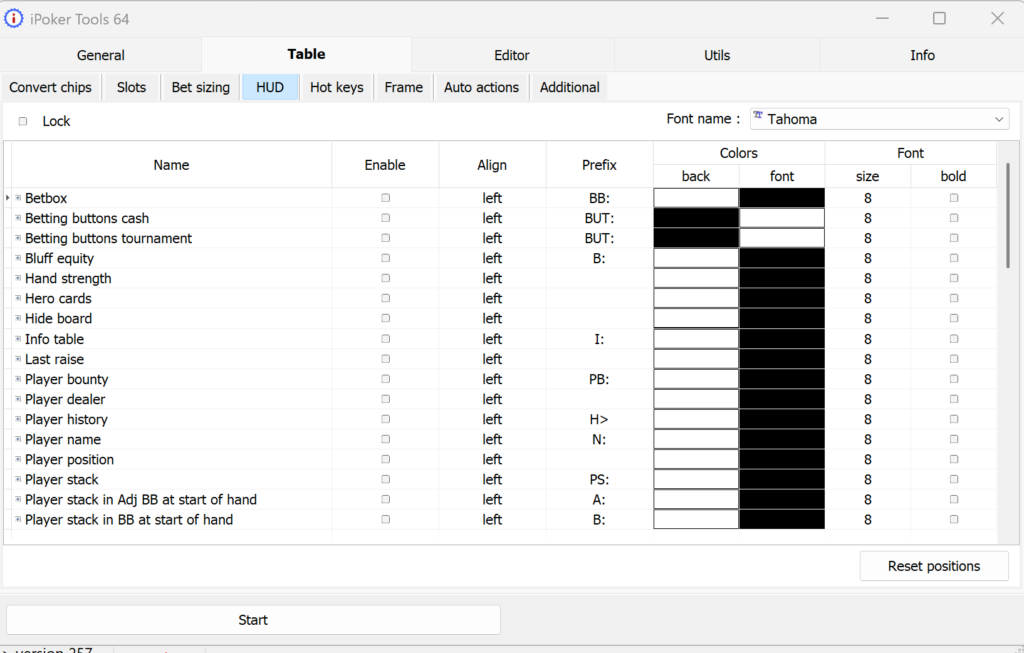
Table Appearance and Routine Automation
In addition to the HUD, the program lets you customize the table graphics by changing font sizes and colors, hiding unnecessary interface elements, and configuring the action-button panel separately for cash games and tournaments. Routine pop-up windows, such as confirmation dialogs, can be closed automatically so they do not distract you from the action at other tables.
Compatibility: Formats and Poker Rooms
iPoker Tools works exclusively on the iPoker network and supports the formats available there, including cash games, Sit&Go tournaments, multi-table tournaments (MTTs), Speed Poker, and variants such as Omaha and 6+ Hold’em. The program is not tied to a particular poker room—it works across any of the network’s more than twenty skins, including bet365 Poker, Betfair Poker, William Hill Poker, Paddy Power Poker, and Betsson Poker.
Windows is the only supported operating system; there are no versions for macOS, mobile devices, or browsers. The program is available in 32-bit and 64-bit versions and does not require any additional libraries. For the program to work correctly, the poker room client must be set to English—or Italian for one of the two rooms when playing on two poker rooms simultaneously. It is also recommended to run both the program and client as an administrator and add them to your antivirus exclusions.
The program is officially approved by the iPoker network, so using it does not put your account at risk of restrictions. This distinguishes it from many third-party add-ons whose use has not been explicitly approved by the poker room.
Getting Started
The easiest way to get started is with the free demo period. Download the program from the official website and enter “demo” as both the username and password when launching it for the first time. The 31-day demo provides unrestricted access to all of the program’s features.
After installation, start by enabling the HUD in the general settings and configuring the position of its elements separately for 9-handed and 6-handed tables. You can then set up a table layout for your monitor, assign hotkeys to the main actions, and add a couple of bet-sizing presets. This is enough to notice the difference when multi-tabling. More advanced settings, such as conditional highlighting of HUD values and custom formulas for calculated metrics, are best added gradually once you understand exactly what information you need at the table.
Pricing
After the demo period, an annual license is available. It includes one set of login credentials with two hardware-linked online activations, as well as the option to reset an activation for free when changing computers. If you renew the license before it expires, the purchased days are added to the remaining period without interrupting access. A detailed description of the plans and prices is available on the product page.
Conclusion
iPoker Tools addresses a specific and focused need: convenient multi-tabling on the iPoker network, from window layouts and hotkeys to a HUD displaying information about the current hand. Beginners who are just starting to play multiple tables should take a gradual approach: first learn how to use table layouts and basic hotkeys, then set up bet-sizing presets, and only after that move on to detailed HUD customization and custom calculation formulas.

Featured software

Latest posts
-
 GGPoker Bans Third-Party Poker Software: Five New Security Measures Oct 18, 2026
 -
 Table Wizard Review: Table Organization and Automated Session Analysis Oct 17, 2026
 -
 PeakGTO Review: A GTO Trainer With an ELO Rating System From Jonathan Little’s Team Oct 16, 2026
 -
 GTOBase Review: Ready-Made GTO Solutions and Hand Analysis Oct 15, 2026
 -
 Simple Postflop Review: A GTO Solver for Heads-Up Pots from Preflop to River Oct 14, 2026
All the poker software you need, gathered in one place. Exclusive discounts, bonuses, latest news and updates.
Join now