Holdem Manager 3
A poker tracker that tracks over 2,000 opponent stats and visualizes them in HUDs and POPUPs, helping you spot leaks in your own game. Read full review
Screenshots
Pros & Cons
| Pros | Cons |
|---|---|
| Range Wizard included | Windows only |
| 2,000+ HUD stats | High PC requirements |
| Situational Views | HUD limited on some rooms |
| Fast hand replayer | Omaha requires a separate license |
| Perpetual license | |
| Flexible HMQL filters |
Description
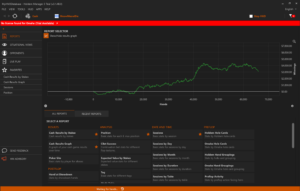
Holdem Manager 3 is a tool for collecting and analyzing online poker hands. It runs in the background while you play: it connects to poker room clients, pulls in your hand history, and uses it to build a HUD — an overlay showing each opponent’s stats right on top of the table. Instead of a separate database program that used to need its own install and setup, the software uses its own built-in hand-storage engine, which noticeably simplifies installation and cuts down on first-run issues.
The HUD in Holdem Manager 3 shows more than 2,000 opponent stats, letting you assemble any set of numbers you need — from basic VPIP and PFR to highly specialized metrics by street and position. Besides the usual numeric tables, a graphical HUD mode is also available: an opponent’s preflop activity, postflop aggression, and hand sample size are shown as color-coded indicators you can read at a glance during play. The HUD editor works on a drag-and-drop principle, making it suitable both for quickly building a simple HUD and for fine-tuning popups with additional stats.
Situational Views hold a special place in the tool — panels that pull together stats for specific game situations (continuation bets, 3-bets, river play, tournament all-ins, and others) into a single, clear picture instead of several separate reports. On each panel, you can click any data point of interest and jump straight to the matching hands in the replayer — which is especially handy for spotting recurring mistakes in your own game, not just for studying opponents.
Beyond the HUD and Situational Views, the software offers more than 25 standard reports by position, session, stakes, and opponent type, a flexible filter language with autocomplete suggestions, and a fast hand replayer with several table themes. For tournament players, stats can be displayed in big blinds rather than chips, making it easier to compare decisions across different tournaments. The app also includes the Range Wizard module for comparing ranges and stats across different opponent types, along with tools for importing hands from sites that don’t allow direct history downloads.
The tool supports more than a dozen poker rooms and networks, and its interface has been translated into 14 languages, including Russian. Holdem Manager 3 is distributed under a perpetual license model: you buy it once rather than paying a monthly subscription.
Pricing
-
Free trial — 14 days with full access to all features, no card required. Once the trial period ends, the tool doesn't shut down completely; it switches to a permanently free, limited version for micro stakes.
-
Hold'em, Small Stakes plan — $65 (one-time payment): cash games up to NL50, tournaments with buy-ins up to $22.
-
Hold'em, All Stakes plan — $100 (one-time payment): no stakes limits.
-
Omaha, Small Stakes plan — $65, and Omaha, All Stakes plan — $100: the same limits as Hold'em; the Omaha license is purchased separately from Hold'em.
-
Combined Hold'em + Omaha license, Small Stakes — $100.
-
Combined Hold'em + Omaha license, All Stakes — $160.
-
The first year of updates and technical support is included free with any license. After that, support can be renewed optionally: from $44.99/year for one discipline at Small Stakes up to $99.99/year for Hold'em and Omaha combined at All Stakes.