ICMIZER Review: ICM Calculator and Push/Fold Decision Trainer
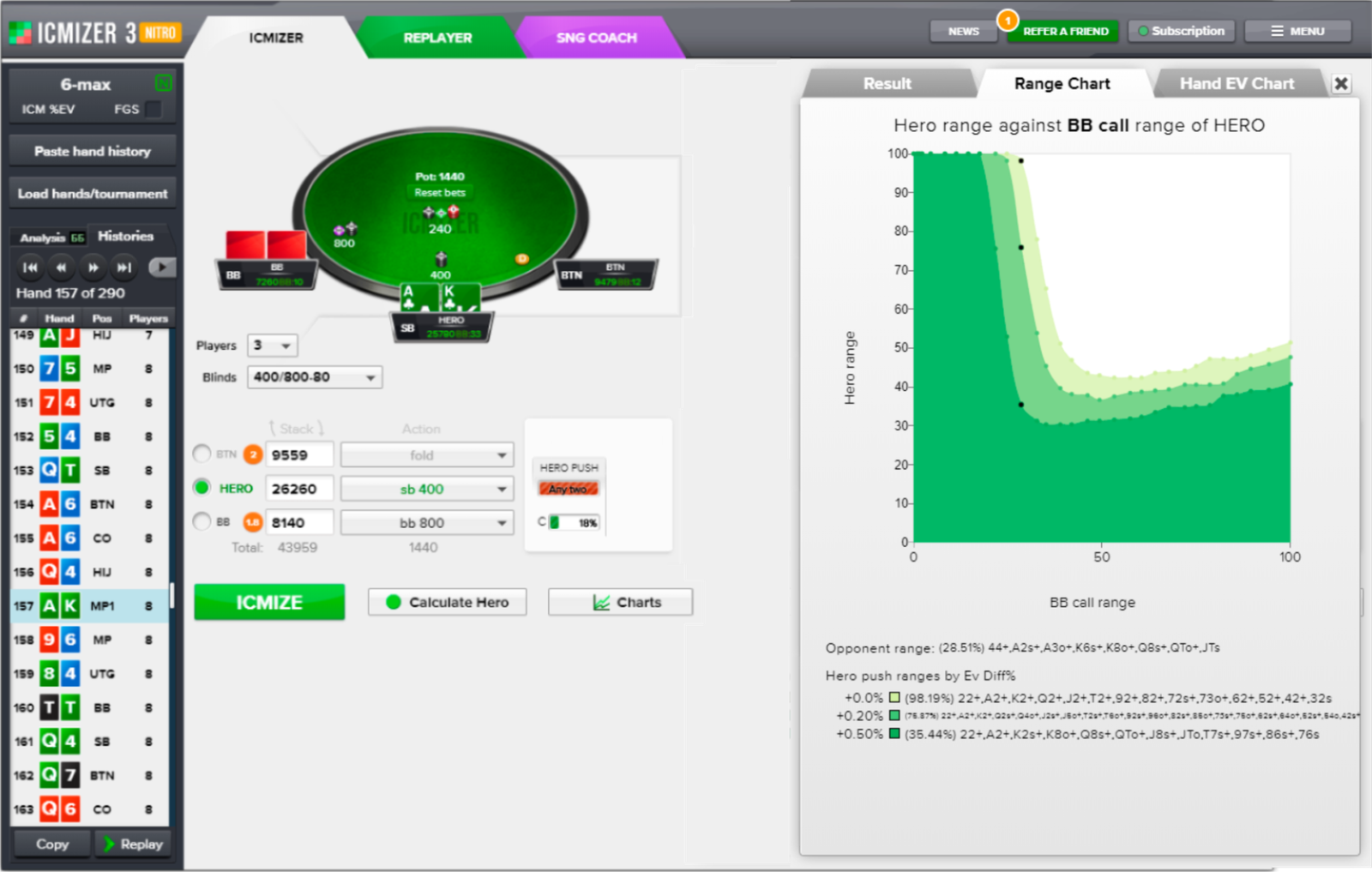
ICMIZER is software for tournament poker players that calculates the correct play in situations where an all-in decision is on the line: push, fold, call, or raise. It addresses a problem every tournament player encounters sooner or later: evaluating a hand solely by card strength no longer works when not only chips but also a place in the money and real cash are at stake. The software performs precise calculations for these situations, helps players drill the correct decisions until they become automatic, and analyzes previously played hands to identify and fix leaks.
What Exactly Does ICMIZER Do?
In tournament poker, a chip stack is not equal to its monetary value. For example, losing all your chips on the bubble—the stage when only one more player needs to be eliminated before the remaining players reach the money—costs far more than the chip count alone suggests, because you also lose your chance of winning a prize. The model that converts chip stacks into their monetary value is called ICM (Independent Chip Model). ICMIZER’s calculations are based on this model.
To obtain a solution, you enter the details of the situation into the software: every player’s stack, the current blinds and antes, the tournament payout structure, and the number of players remaining. Its calculation engine then combines CFR+—an algorithm used by solvers to find optimal strategies—with traditional Nash equilibrium calculations. The result is a precise strategy for each of the 169 starting hands: push, fold, call, or raise, displayed with intuitive color coding directly on a virtual poker table. This is known as an equilibrium strategy: when you follow it, opponents cannot beat you in the long run, regardless of how they play.
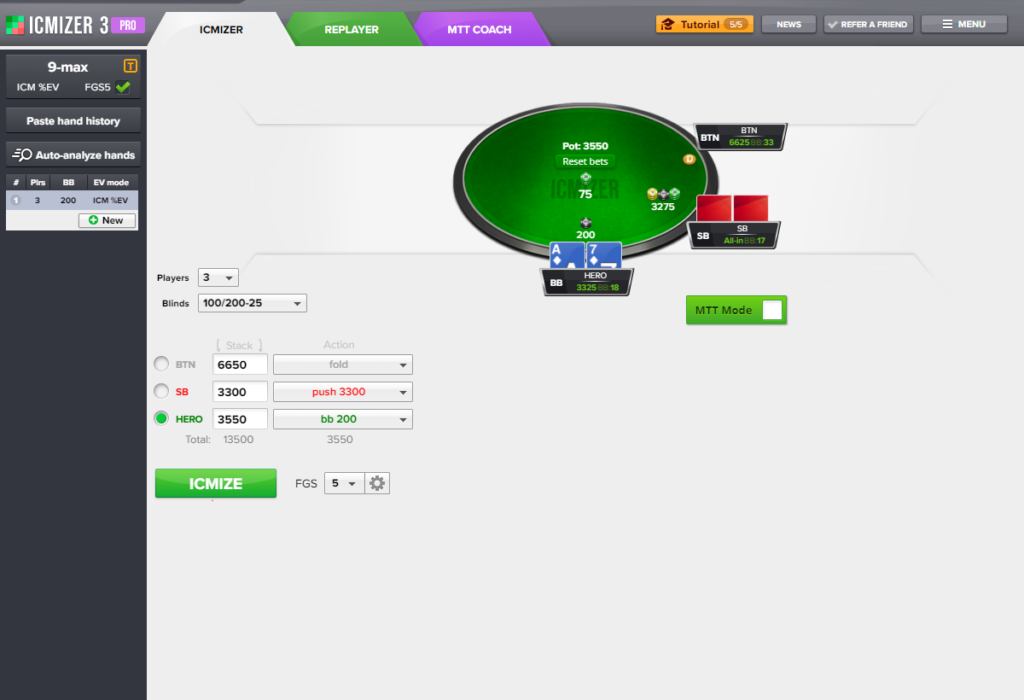
ICM Calculator: Precise Spot Analysis
The software’s core feature is its calculator, which solves push/fold situations while accounting for the stacks’ real monetary value. In addition to basic push-or-fold solutions, it supports several levels of look-ahead analysis, known in the software as FGS (Future Game Simulation). The deeper the level, the more accurately the calculation accounts for opponents’ possible responses after the initial decision. This is especially important in multiway situations, where the correct decision depends not only on the next opponent to act but also on how the rest of the hand may unfold.
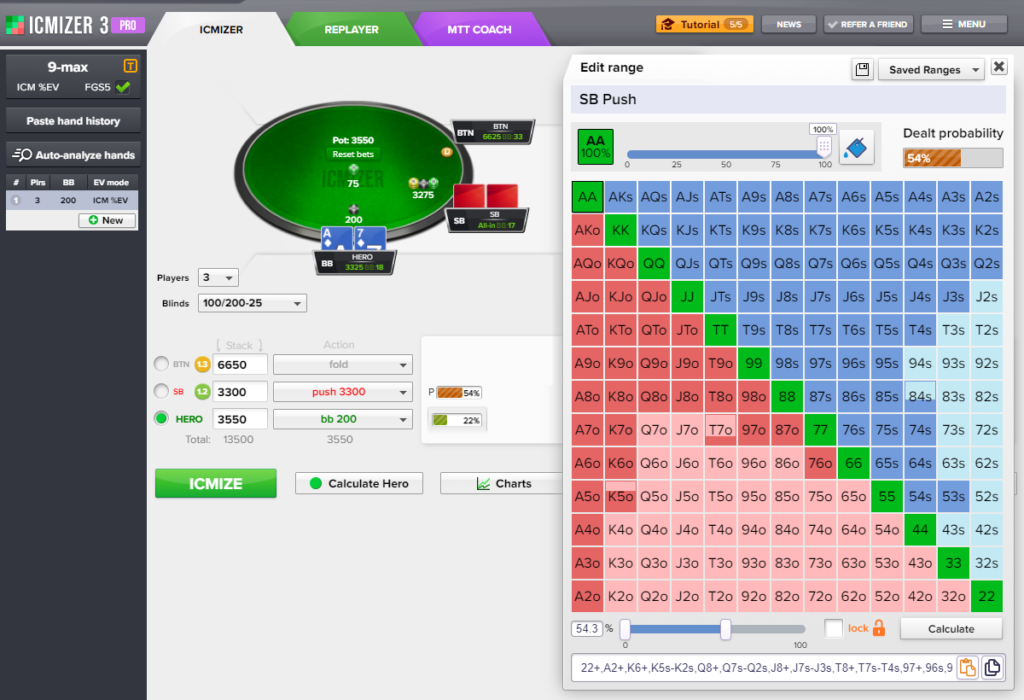
The calculator supports mixed strategies, where taking different actions with the same hand at specific frequencies is correct at equilibrium—for example, pushing a hand some of the time and folding it the rest of the time. For more flexible scenario customization, there is also a range editor. You can use sliders to manually assign each of an opponent’s hands a specific weight within their range and see how this changes the optimal decision.
The calculator supports tournaments with up to 500 players and covers the main tournament formats: sit-and-gos (single- or multi-table tournaments with a fixed number of seats), multi-table tournaments (MTTs), Spin tournaments (short three-player tournaments with a randomly determined prize multiplier), as well as knockout and progressive knockout tournaments, where players receive a separate cash bounty for eliminating an opponent.
MTT Coach: A Push/Fold Decision Trainer
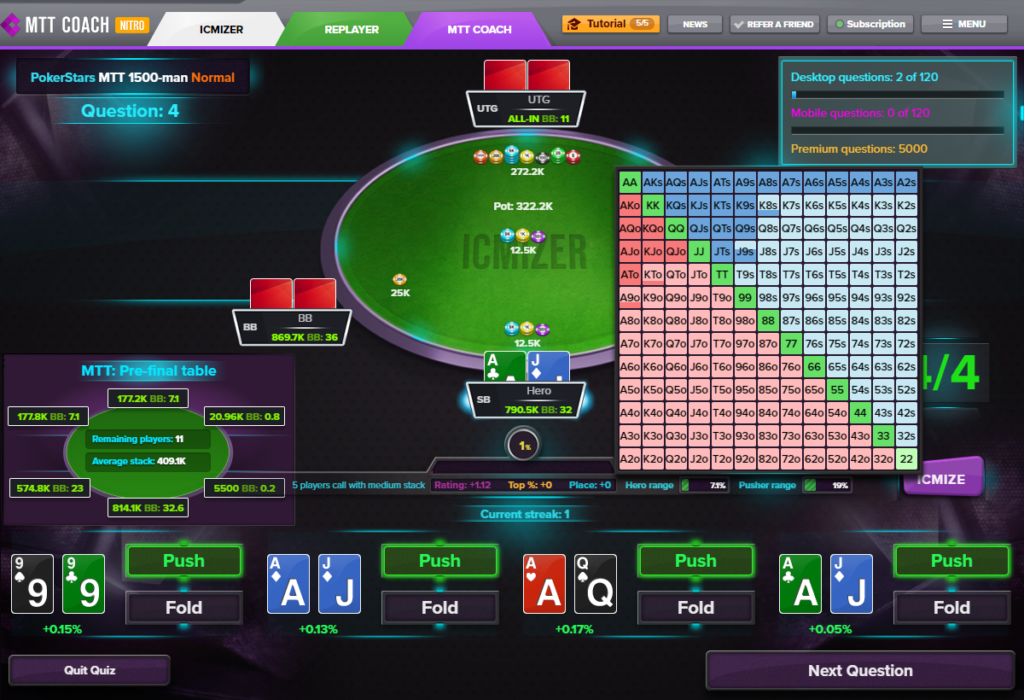
Calculating a specific situation once is useful, but tournament players need to make the correct decisions quickly at the table without opening a calculator for every hand. That is what the MTT Coach trainer is for. It presents realistic tournament spots—for example, deciding whether to move all-in from under the gun (UTG, or early position) with a short stack, or whether to call from the big blind (BB) against a push from the button (BTN)—and asks you to choose an action. If your decision is incorrect, the trainer explains the mistake and gradually adjusts the difficulty of its questions to your skill level.
You can filter questions by tournament format, stack size, and table position, allowing you to focus on a specific weakness in your game—for example, defending the big blind against a push or making decisions on the bubble. The daily question limit depends on your plan, and additional question packs can be purchased if needed.
Replayer: Reviewing Played Hands
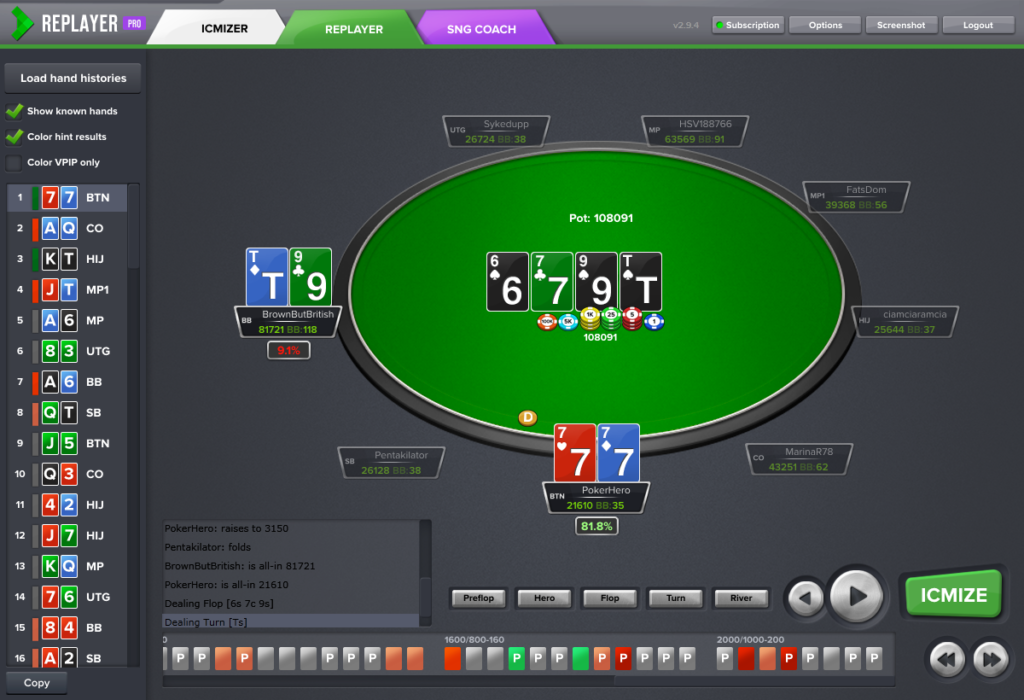
The software’s third tool is the Replayer hand replayer. It lets you upload tournament hand histories and review hands in a convenient interface, with sorting by pot size and action type. The software automatically analyzes uploaded hands and highlights questionable or incorrect decisions, so you do not have to review the entire session manually. Any flagged hand can be sent directly to the ICM calculator with a single action for a precise analysis showing the correct decision and how costly the deviation was.
Compatibility: Formats and Platforms
ICMIZER is designed for formats where the ICM model applies: sit-and-gos, multi-table tournaments, Spin tournaments, knockout tournaments, and progressive knockout tournaments. The software does not support cash games or calculate decisions on postflop streets. It is a specialized tool for entering a hand and analyzing the first key decisions when an all-in is on the line.
The full-featured calculator runs on computers with Windows 10 or later or macOS 10.15 or later. It is also available in a browser, but only on a computer—the full calculator cannot be opened on tablets or smartphones. Separate MTT Coach mobile apps are available for iOS and Android, so you can practice training spots on your smartphone.
The hand replayer supports hand history imports from several poker rooms, including PokerStars, GGPoker, PartyPoker, 888 Pacific, iPoker, Ignition, Winning Poker Network, Chico Poker Network, Merge, Winamax, and Full Tilt Poker. It can also import tagged hands from Holdem Manager 2, Holdem Manager 3, and PokerTracker 4. The software interface is available in English and Russian.
Keep in mind that the rules of most poker rooms prohibit using third-party software alongside the poker client while playing at real-money tables. ICMIZER is designed for analyzing situations before and after a playing session, not for providing real-time assistance.
How to Get Started
You can start using the software in just a few steps.
First, visit the official website and choose how you want to begin: with the permanently free plan, which includes one calculation per day, or with a seven-day trial that provides full access to your chosen paid plan. You must provide a payment method when activating the trial. Once the trial ends, the subscription will automatically become paid unless you cancel it beforehand.
Next, install the desktop version for Windows or macOS, or open the browser version. Both options are available immediately after registration.
It is best to begin with the calculator itself. Manually enter a few stacks, the blinds, and the payout structure from a recent tournament, then check whether the software’s solution matches the action you took at the table. After that, you can move on to MTT Coach and start practicing common decisions in short sessions. You can also upload hand histories from several recent tournaments to Replayer to identify obvious leaks.
Pricing Plans
The software offers a permanent free plan with one calculation per day and two paid plans—Basic and Pro. These differ in their feature sets, daily trainer question limits, and access to paid add-ons such as accelerated cloud calculations. A detailed description of the plans and prices is available on the product page: ICMIZER — product page.
Conclusion
ICMIZER addresses a narrow but critically important challenge for tournament players: making precise decisions in situations where an all-in is on the line and intuition is often unreliable. Beginners should take a gradual approach: first, analyze several questionable hands from their own games with the calculator; then use Replayer to identify leaks systematically; and finally, begin regular practice in MTT Coach to drill the correct decisions until they become automatic.

Featured software

Latest posts
-
 GGPoker Bans Third-Party Poker Software: Five New Security Measures Oct 18, 2026
 -
 Table Wizard Review: Table Organization and Automated Session Analysis Oct 17, 2026
 -
 PeakGTO Review: A GTO Trainer With an ELO Rating System From Jonathan Little’s Team Oct 16, 2026
 -
 GTOBase Review: Ready-Made GTO Solutions and Hand Analysis Oct 15, 2026
 -
 Simple Postflop Review: A GTO Solver for Heads-Up Pots from Preflop to River Oct 14, 2026
All the poker software you need, gathered in one place. Exclusive discounts, bonuses, latest news and updates.
Join now