GTO LAB Review: ICM Trainer and Pre-Solved Solutions for Tournament Poker
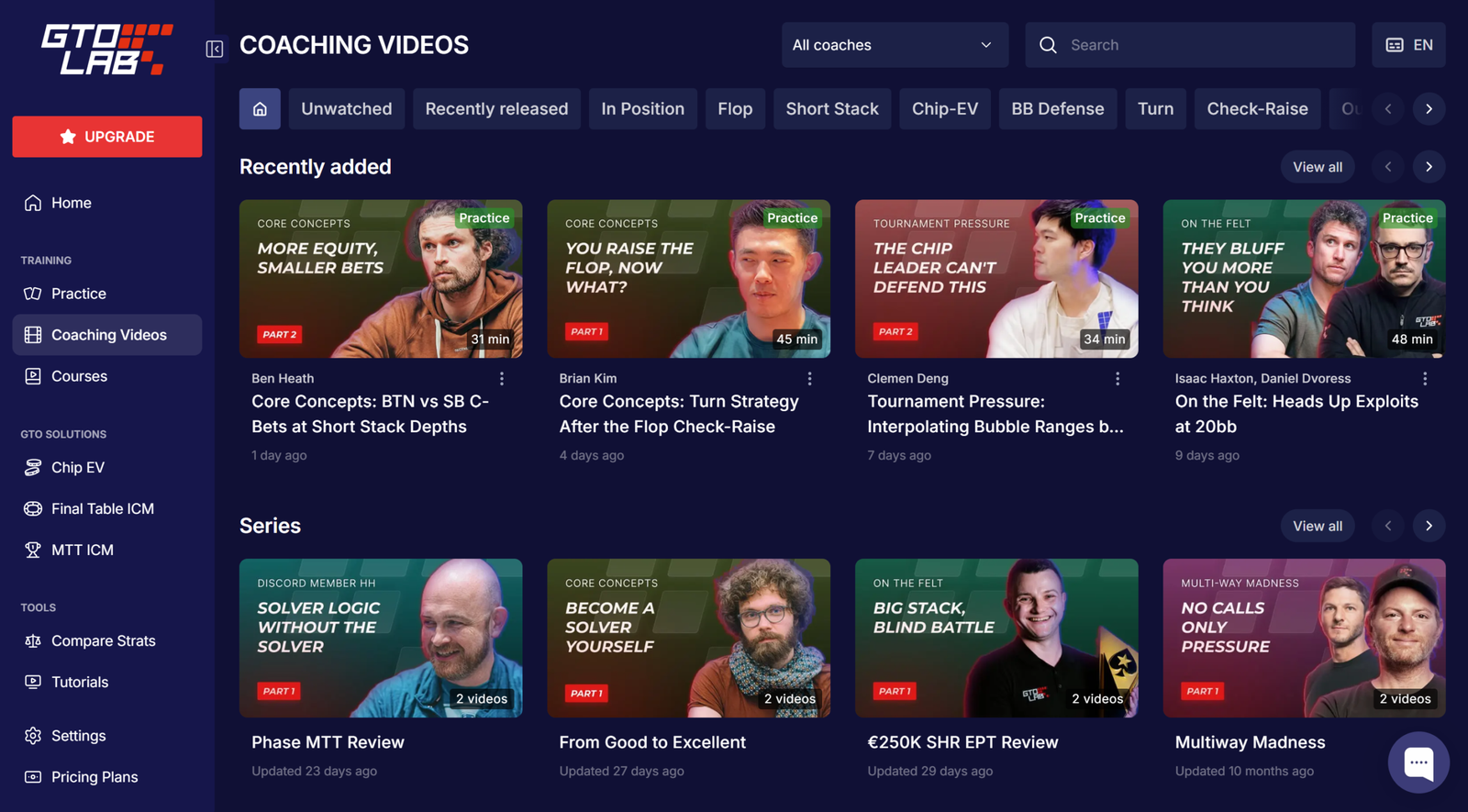
GTO LAB is a tournament poker (MTT) study platform that combines pre-solved solver solutions and training videos from active top players in one place. The software addresses a problem familiar to anyone who has tried to study GTO strategy independently: instead of spending hours calculating spots in a separate solver and then searching elsewhere for an explanation of why the strategy works that way, both the solutions and their explanations are available in a single trainer. This makes the platform a convenient starting point for beginners who know basic poker terminology but have not yet explored how GTO study works.
How GTO Strategy Is Structured in the Software
The platform is based on a “study first, then practice” approach. For every situation—whether it is a preflop open, postflop play, or a decision on the tournament bubble—an optimal game-theory solution (an equilibrium strategy) has been calculated in advance. Users can either open the solution as a reference and view the complete range or enter the trainer, where the software presents a random situation, asks them to make their own decision, and then compares their choice with the optimal strategy and shows the size of the deviation.
The ranges in the software cover stack depths from 10 to 200 big blinds, including both the early stages of tournaments with deep stacks and the later stages, where decisions are made using a push/fold or near-push/fold strategy. Strategies are also calculated using two separate models: chip EV, where the goal is to maximize the number of chips without considering their monetary value within the prize structure, and ICM (Independent Chip Model), which converts a stack into its actual monetary value based on the payout structure. Understanding the difference between these two models is one of the key concepts that the software teaches through practice rather than theory alone.
Preflop: Library and Trainer
The preflop section contains a library of thousands of pre-solved solutions for different stack depths, positions, and types of action at the table, including open-raising, calling an open raise (cold-calling), 3-betting, 4-betting, and 5-betting. For those unfamiliar with the position abbreviations, UTG and EP refer to early position, MP to middle position, CO to the cutoff, BTN to the button, SB to the small blind, and BB to the big blind. The library can be used as a reference: select the stack depth, position, and opponent’s action to immediately see the range for raising, calling, or folding. The trainer works differently: the software generates a random situation and hand, and the user must choose an action—raise, call, or fold—after which it shows how much the decision deviates from the optimal one.
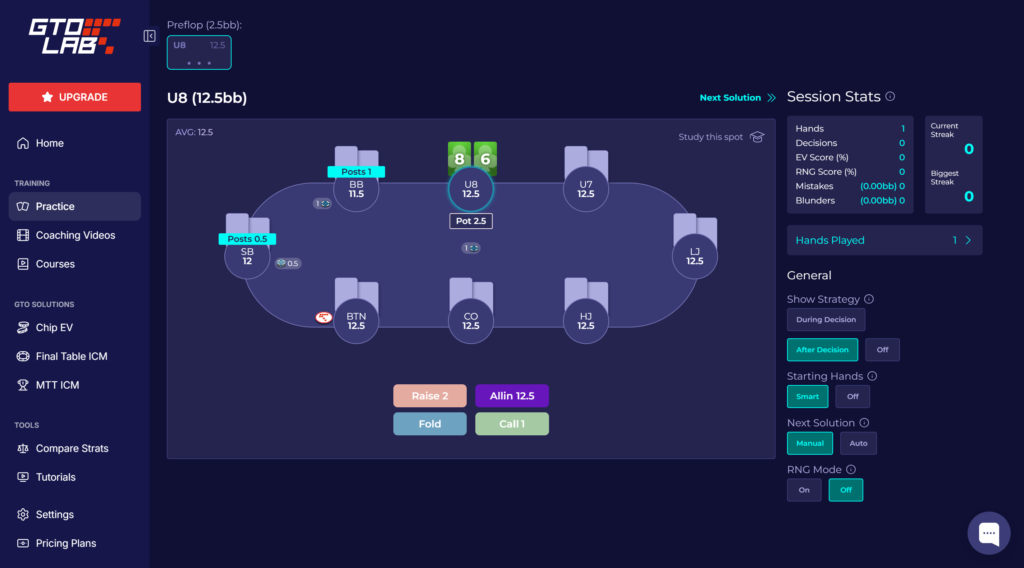
For beginners, this format is useful because it allows them to do more than simply memorize a range. They can repeatedly make decisions in different variations of the same situation until the range structure becomes intuitive.
Postflop: Library and Trainer
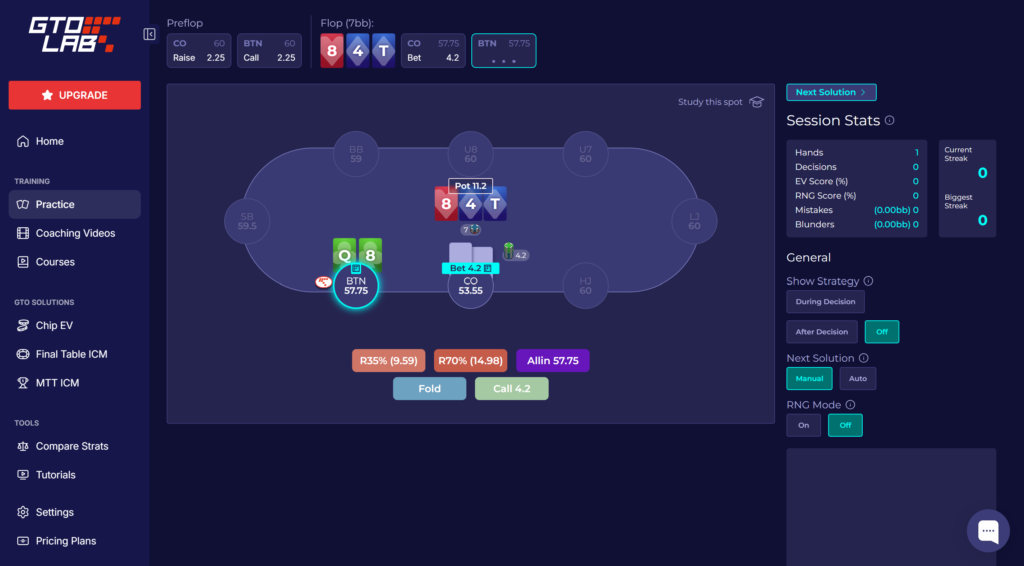
The postflop section is based on simplified game trees with several bet sizes for continuation bets (c-bets) and later streets. The library and trainer follow the same format as the preflop section: users can study pre-solved solutions for each board and runout or practice by making their own decisions. This section focuses on chip EV strategy and the early to middle stages of tournaments, when stacks are still deep enough for multi-street play rather than only push/fold decisions.
Advanced Analysis Tools
In addition to the libraries themselves, the software provides a set of tools for more in-depth analysis:
- flop reports—summary statistics showing how the strategy changes depending on the board texture;
- visual range analysis—a tool that breaks down ranges by hand category and allows users to compare ranges;
- runout analysis—shows how the equity of a hand or range changes depending on the turn and river cards;
- strategy comparison—compares solutions in similar but not identical situations to reveal exactly what causes the strategy to change.
These tools are designed not for memorizing specific solutions but for understanding broader patterns—why the strategy behaves the way it does on different boards and runouts.
Full-Table ICM Trainer
A major section of the software is dedicated to ICM—calculating strategy based on the actual monetary value of a stack within a tournament’s prize structure. It includes spots from typical tournament stages: approaching the money (particularly with around 85% or 50% of the field remaining), the bubble, the final table, and situations with two or three tables left.
A key feature of the ICM trainer is that it lets users practice decisions for every position at the table rather than from the perspective of only one player. This means that within a single hand, users can work through decisions for the button, the blinds, and players in early and middle position, seeing how the same stack distribution changes the optimal strategy for each of them.
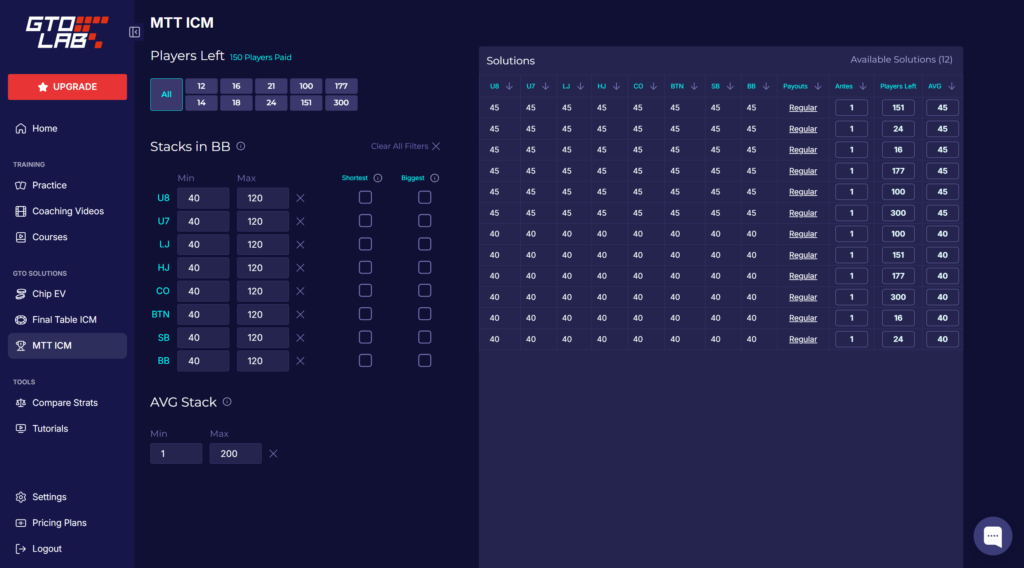
For beginners who are just starting to play tournaments, this is one of the most practical sections: mistakes in ICM spots, particularly on the bubble and at final tables, usually cost the most in real games.
Unequal Stacks and Heads-Up Play
A separate library is available for unequal-stack situations, where the hero and opponent have significantly different chip stacks, as is common in the later stages of tournaments. The software also includes a dedicated library and trainer for heads-up play, with solutions for both online and live ante structures.
Coaching Videos and Community
The video library features lessons from active top tournament players who analyze specific hands and concepts, ranging from basic principles to the finer points of final-table play and bounty tournaments (PKOs). New videos are added regularly, and subtitles are available in ten languages: English, Spanish, French, Portuguese, Italian, Russian, Simplified Chinese, Korean, Japanese, and Vietnamese. This selection of languages makes the videos accessible to users from different countries, even when the original audio is in English.
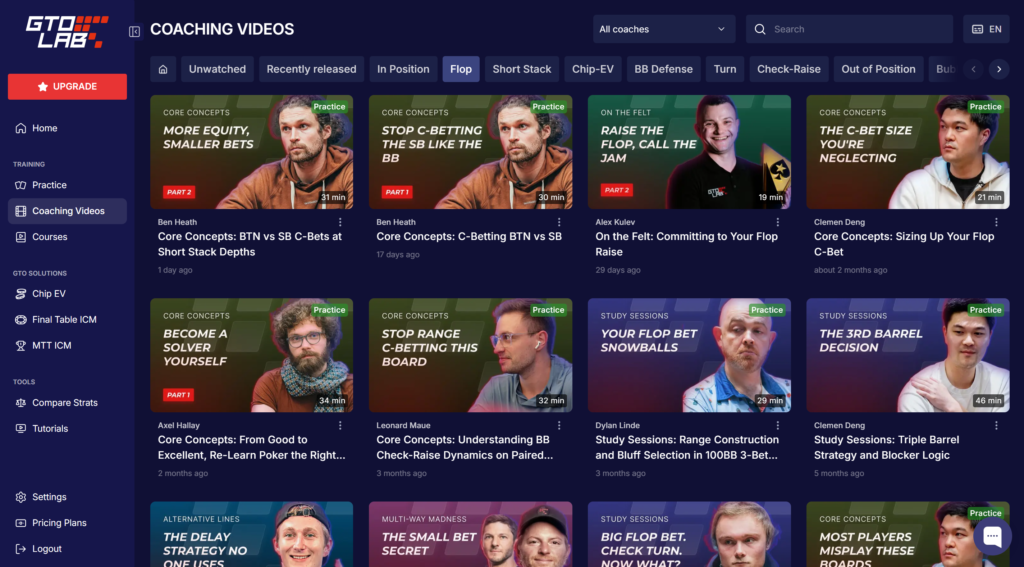
A private Discord community is also available, where users can discuss hands and strategy with other members and the platform’s coaches.
In addition to the main subscription, structured video courses (masterclasses) on specific topics are available as separate purchases—for example, a step-by-step preparation plan for a tournament series or an analysis of multiway pots involving three or more active players in a hand.
Compatibility: Formats and Platforms
GTO LAB is a web application: it runs in a browser, requires no installation, and is not tied to a particular operating system. It works on Windows, macOS, and other devices with a modern browser. At the time of writing, there is no dedicated Android or iOS app, but the web version can also be accessed from a mobile device.
In terms of content, the software is designed for tournament poker (MTTs), including regular tournaments, bounty tournaments (PKOs), multiway hands, and a separate heads-up format. Cash games and specialized cash-game solvers are not included—this is a deliberate focus of the platform rather than a limitation. Because GTO LAB does not connect directly to games or collect statistics from poker room clients, it is not tied to any particular platform and is equally suitable for players from any poker room.
How to Get Started
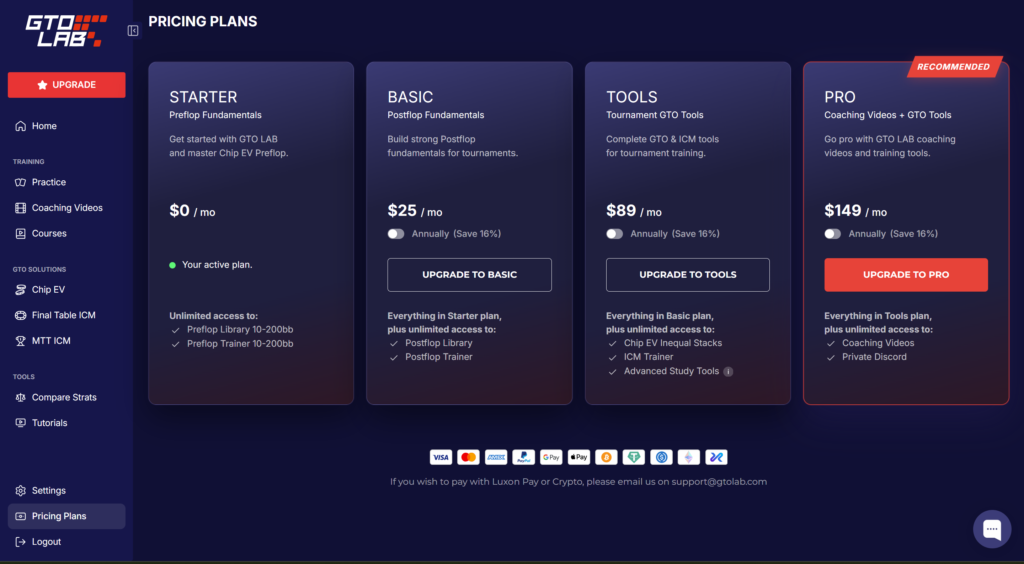
You can start using the software for free: the entry-level plan requires no payment and immediately provides access to the preflop library and trainer for stack depths from 10 to 200 BB. The next steps are straightforward:
- Create a free account and play through several hands in the preflop trainer to become familiar with the interface.
- Determine which section is most relevant to your game—postflop, ICM, or advanced analysis tools—and choose the corresponding plan.
- Gradually add coaching videos and move from reviewing pre-solved solutions to practicing regularly rather than only browsing the library.
Pricing
GTO LAB offers four subscription tiers, ranging from free access to the preflop library to a complete package that includes the ICM trainer and coaching videos. The price increases with the number of features, from $25 per month for the postflop module to $149 per month for full access, including the private Discord community. A detailed description of the plans and prices is available on the product page.
Conclusion
GTO LAB is suitable for players who want to study tournament poker systematically—not merely memorizing individual ranges, but understanding the logic behind preflop, postflop, and ICM decisions using pre-solved solver solutions and explanations from active top players. It is best to start gradually with the free preflop trainer, then add postflop and ICM as your skills improve, rather than trying to master every feature of the platform at once.

Featured software

Latest posts
-
 GGPoker Bans Third-Party Poker Software: Five New Security Measures Oct 18, 2026
 -
 Table Wizard Review: Table Organization and Automated Session Analysis Oct 17, 2026
 -
 PeakGTO Review: A GTO Trainer With an ELO Rating System From Jonathan Little’s Team Oct 16, 2026
 -
 GTOBase Review: Ready-Made GTO Solutions and Hand Analysis Oct 15, 2026
 -
 Simple Postflop Review: A GTO Solver for Heads-Up Pots from Preflop to River Oct 14, 2026
All the poker software you need, gathered in one place. Exclusive discounts, bonuses, latest news and updates.
Join now