Jurojin Review: Table Layouts, Hotkeys, and Overlays Without Risking a Ban
Jurojin is a program for online poker players who play at several tables at once and are tired of manually arranging poker room windows, adjusting bet sizes with the mouse, and checking whether their time to act has expired at another table. The program organizes your workspace: it automatically arranges tables on the screen, places bets at the press of a key, and displays helpful information over the table to support your decisions. At the same time, it does not collect statistics on opponents or maintain a database of their play. In other words, it is not a tracker or HUD in the traditional sense, which means it remains permitted even where poker room rules prohibit opponent databases.
The Three Pillars of Jurojin
Jurojin has a straightforward structure: it consists of three main modules, and nearly all its features belong to one of them.
The first is table layouts: the program automatically arranges poker room windows in a tidy grid instead of requiring you to drag and resize each window manually. The second is hotkeys—keyboard keys and mouse buttons that replace clicks within the poker room interface with specific actions, such as folding, calling, or betting a preset amount. The third is the overlay, a semi-transparent information panel displayed over the table that shows calculated values such as pot odds and stack size during a hand, so you do not have to work them out mentally.
All three modules work on top of poker room windows that are already open. The program does not connect to the poker room’s server or interfere with the hand itself; it only organizes what the player sees and how quickly they can respond. This is why Jurojin remains an approved tool at poker rooms that prohibit programs offering an informational advantage through opponent statistics.
Table Layouts: Every Table Where It Belongs
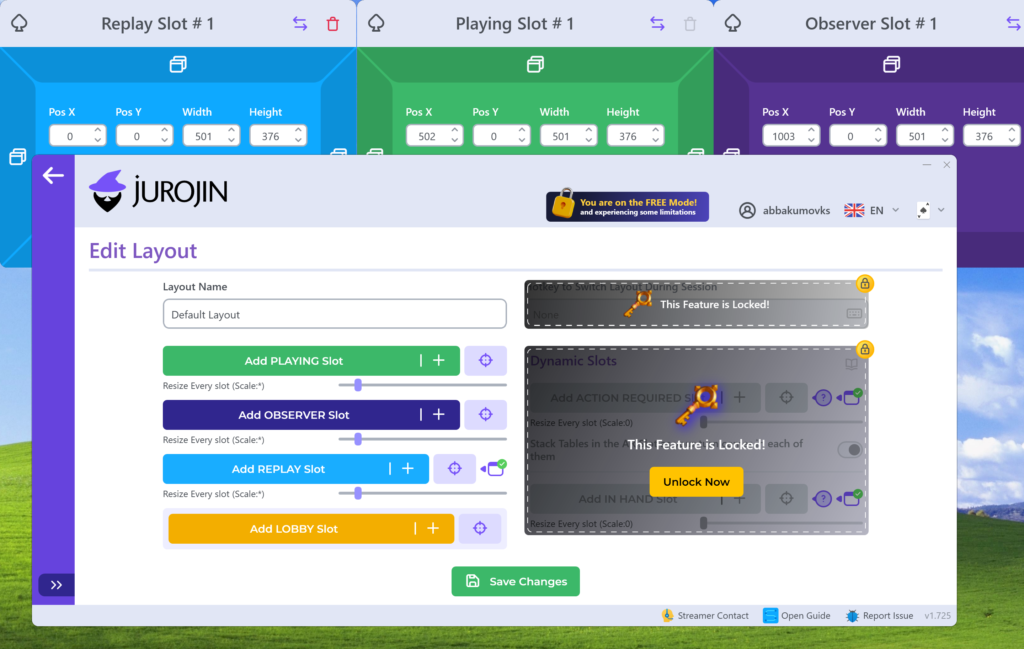
Jurojin’s table arrangement feature works in two modes. In static mode, tables occupy predefined grid slots and remain in place. In dynamic mode—“Action Required”—the program automatically brings the table that currently requires a decision to the foreground and highlights it with a colored border, while moving the other tables to the background or off to the side. This is useful when playing a large number of tables because you do not have to keep scanning the entire screen to see where action is required.
There is also a stack mode, in which tables are placed on top of one another and only the active table is brought to the top, as well as a quick table-switching panel—essentially a list of tabs that lets you move to any table with one click. There is no limit on the number of slots or layouts, so you can configure the grid for any number of monitors and tables. Jurojin can also automatically return you to a table after you time out and miss an action, reducing the risk of accidentally remaining in sit-out mode during fast-paced multi-tabling sessions.
Hotkeys: Bet With a Single Keystroke
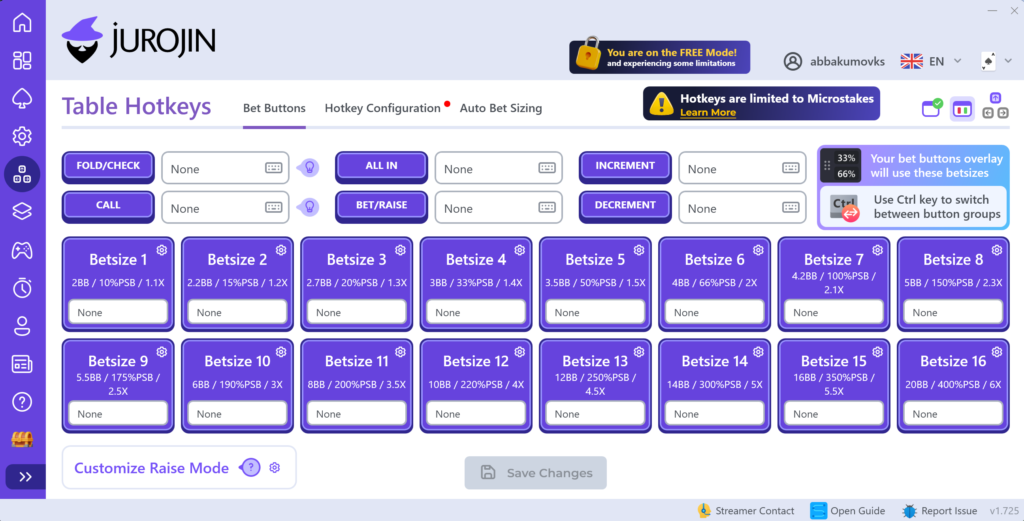
A hotkey is a predefined action assigned to a keyboard key, mouse button, or gamepad button. In Jurojin, you can assign hotkeys for folding, calling, checking, and raising, as well as up to around 15 preset bet sizes—for example, a specific percentage of the pot postflop or a number of big blinds preflop. This eliminates the need to move the cursor to the correct button or slider every time. Pressing a single key is enough, which significantly reduces misclicks and timeouts when playing ten tables at once.
Another feature automatically adjusts bet sizes based on your position at the table. For example, you can use one opening size from UTG or another early position and a different size from the BTN or button and CO or cutoff, where your playing range is wider. On PokerStars, this feature is adapted to the poker room’s rules. Because PokerStars restricts action automation, some settings are not fully available there, unlike at most other poker rooms. Hotkeys can also control actions unrelated to betting, such as switching between tables, forcing a return to a table, or activating the time bank.
In-Game Overlay: On-Screen Calculations Instead of Mental Math
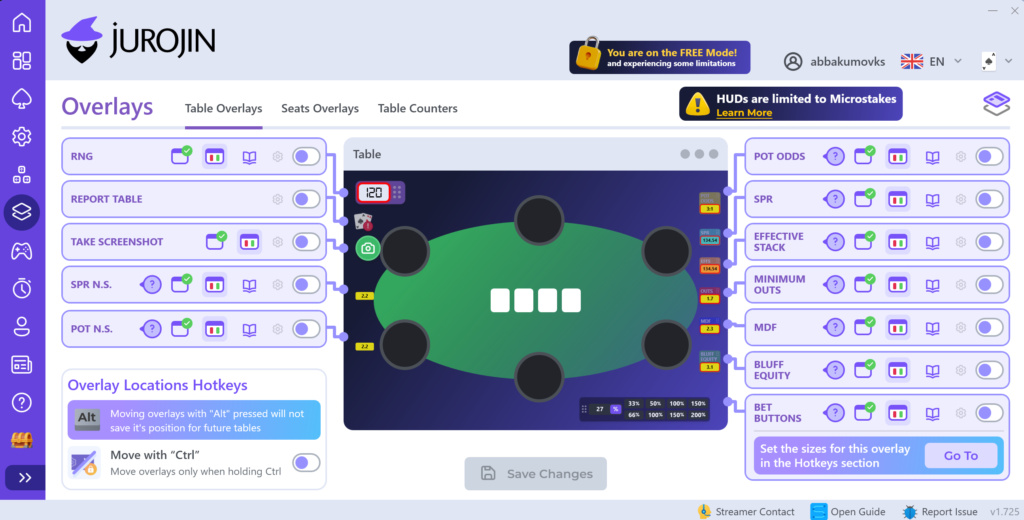
Jurojin displays a panel over each table containing calculated metrics: pot odds—the relationship between an opponent’s bet size and the pot, which helps determine whether a call is profitable—the effective stack, and the stack-to-pot ratio (SPR), which indicates how deep the hand is and how much more can be invested relative to the pot. The panel can also show MDF, or the minimum frequency at which you need to defend your range against an opponent’s bet, an approximate estimate of the hand’s bluff equity, and the number of possible outs.
Another overlay element is a random number generator (RNG) built directly into the panel. It helps players follow a mixed strategy when solver calculations recommend playing the same hand differently in the same situation at set frequencies—something that is difficult to do accurately in real time without assistance. The panel also shows the action history for each street and the player’s position number, which is helpful when a table is in a stack and not fully visible.
Importantly, none of these metrics are based on statistics about a specific opponent. The overlay does not remember how individual players acted in previous hands or create profiles for them. It only calculates information visible at the table in the current hand. This is why Jurojin is not classified as a tracker with a HUD and player popups and is permitted at poker rooms that explicitly prohibit such tools.
Range Builder
Separate from the main program, Jurojin offers a free range builder—a tool for creating, storing, and sharing hand ranges by position and situation. A range is a set of hands that you plan to play in a particular way in a specific situation, such as opening from the CO or cutoff. The builder lets you create these ranges in advance, save them, refer to them during future sessions, and share completed ranges with other players. It is a separate supporting tool for preparing to play rather than part of the in-game table overlay.
Compatibility: Formats and Platforms
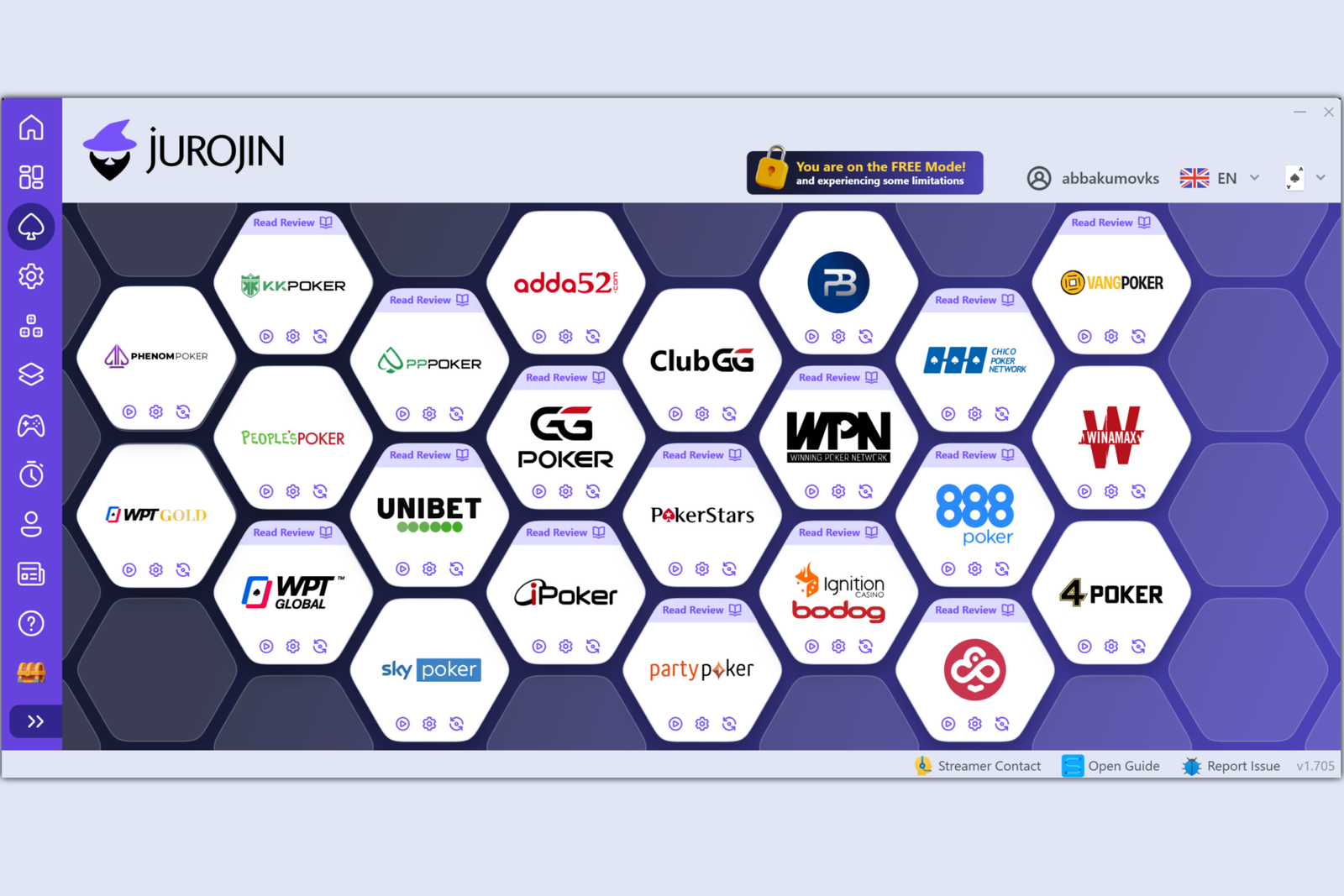
Jurojin supports cash games, MTTs, and Spin & Go tournaments—in other words, all the main poker formats—and works with a wide range of poker rooms and networks. These include PokerStars, GGPoker, PartyPoker, 888poker, Winamax, Ignition and Bodog, the Winning Poker Network (WPN), Chico, iPoker, Unibet, Run It Once, CoinPoker, Adda52, WPT Global, KKPoker, PPPoker, ClubGG, and several others, totaling around two dozen platforms and networks. The program does not work with poker sites that lack a separate downloadable client—that is, browser-based platforms that open directly in a web browser without requiring an app to be installed.
Only Windows 10 and 11 are supported. Windows 7 and 8 are no longer supported, and there are no official versions for macOS or Linux. On computers running these operating systems, Jurojin can only be launched through a Windows virtual machine. The interface is available in several languages, including English, Spanish, Portuguese, French, and Ukrainian, making the program accessible to players from different countries regardless of their preferred interface language. The developers recommend using multiple monitors when playing a large number of tables, but the program also works on a single screen—the number of tables visible at once will simply be lower.
How to Get Started
You can start using Jurojin in just a few steps:
- Download the installer from the program’s official website and install it on a computer running Windows 10 or 11.
- Create an account and sign in. Jurojin allows only one active login at a time, so if you switch computers, you will need to sign out of your previous session.
- Launch your chosen poker room and open tables as usual. Jurojin automatically detects open windows from supported poker rooms.
- Configure a table layout for your preferred number of tables and monitors, assign hotkeys to the main actions, and enable the overlay elements you need.
- It is worth starting on the free tier. All features are available free of charge at micro stakes, making this a convenient way to get used to the hotkeys and table layouts before moving up to higher stakes.
Pricing
Jurojin is free at micro stakes and uses a subscription model at higher stakes. You can pay for individual feature bundles—such as the overlay or hotkeys only—or purchase full access, either for stakes up to NL50 or with no stake restrictions at all. Annual billing is significantly cheaper than paying monthly. A detailed breakdown of the plans and prices is available on the product page.
Conclusion
Jurojin solves a specific, narrowly defined problem: it takes care of the routine aspects of multi-tabling and some of the calculations players would otherwise have to perform mentally. However, it does not replace either a tracker with opponent statistics or study tools such as solvers. For this reason, beginners should learn to use the program gradually. Start by setting up table layouts and a couple of basic hotkeys on the free tier, then add more bet sizes and overlay elements as you need them. Only after that should you consider moving to a paid plan that suits your stakes.

Featured software

Latest posts
-
 GGPoker Bans Third-Party Poker Software: Five New Security Measures Oct 18, 2026
 -
 Table Wizard Review: Table Organization and Automated Session Analysis Oct 17, 2026
 -
 PeakGTO Review: A GTO Trainer With an ELO Rating System From Jonathan Little’s Team Oct 16, 2026
 -
 GTOBase Review: Ready-Made GTO Solutions and Hand Analysis Oct 15, 2026
 -
 Simple Postflop Review: A GTO Solver for Heads-Up Pots from Preflop to River Oct 14, 2026
All the poker software you need, gathered in one place. Exclusive discounts, bonuses, latest news and updates.
Join now