Statname Review: Opponent Stats by Screen Name for Cash Games
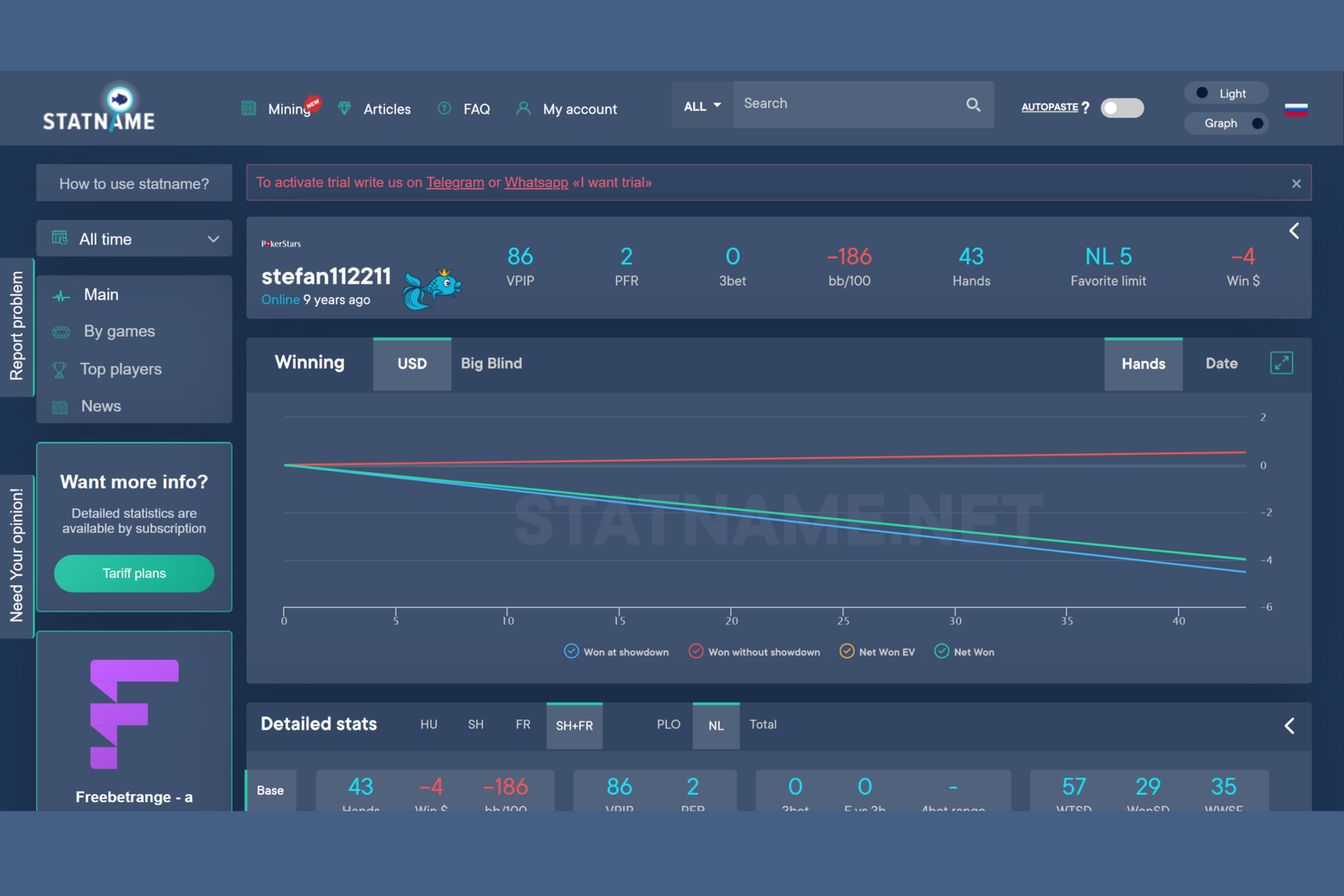
Statname is an online player statistics service for Hold’em and Omaha cash games. It solves a simple problem: showing you how a particular opponent plays, even if you have never shared a table with them. Simply enter or copy their screen name on the selected poker room to open a profile containing their results history and dozens of gameplay stats.
This approach sets Statname apart from traditional poker trackers with a HUD (software that displays statistics directly over the table while you play). A tracker generates statistics only from hands played by the user, so you first need to play a certain number of hands against a new opponent. Statname, by contrast, uses a shared hand history database collected by the service since 2013. This means it can show statistics for players you have never shared a table with.
The service is primarily designed for regular cash game players who want to know who they are dealing with before playing a hand and quickly check a particular opponent’s playing style during a session.
Where the Data Comes From and How Search Works
Statname is built around a shared pool of hands collected by the service across seven poker networks. Hands come from various sources, including partner hand-mining services, and are combined into a single database used to generate statistics for each screen name. This is fundamentally different from a local tracker: you do not need to install any software, import your own hand histories, or wait until you have accumulated enough hands against a particular opponent—the database has already been compiled and is continuously updated.
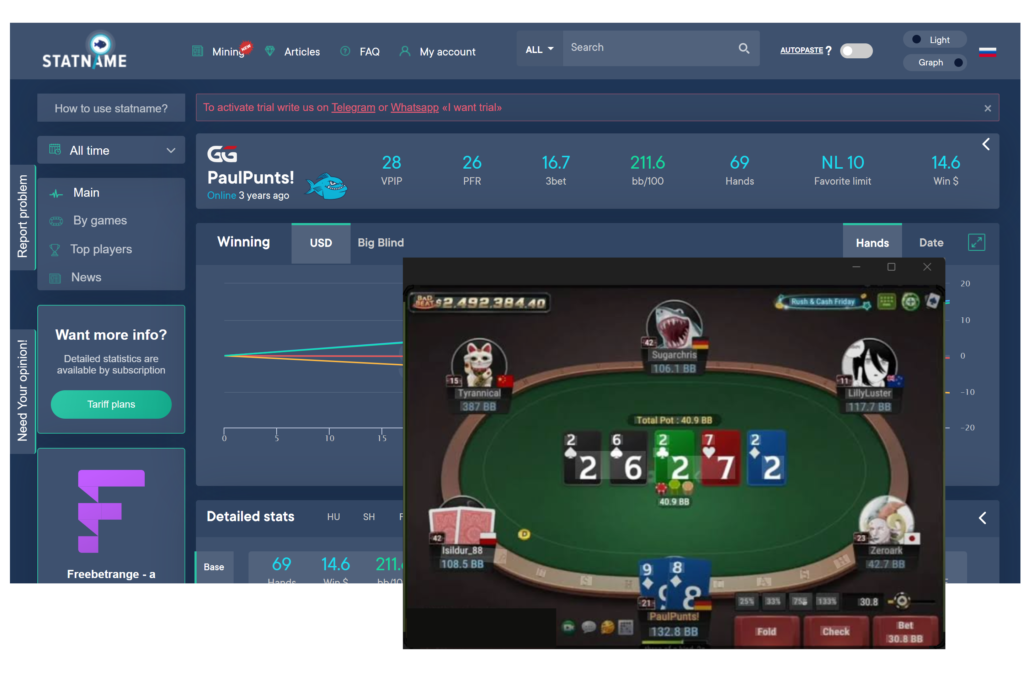
The easiest way to access statistics is to enter a player’s screen name manually in the search field on the Statname website. This is inconvenient during live play, so Statname also offers the AutoPaste browser extension. It monitors copied text and, if it appears to be a player’s screen name, automatically opens their Statname profile without requiring you to switch windows or enter anything manually. The extension works together with third-party utilities for specific poker rooms that can extract players’ screen names from a table with one click, making it faster to access statistics while playing a hand.
Player Profiles and Over 100 Stats
Each player profile in Statname provides an overview of their results: number of hands played, profit in dollars and bb/100 (a metric showing profit per 100 hands regardless of the stakes), most frequently played stake, and a profit graph over time, with separate showdown and non-showdown results. This allows you to see immediately whether an opponent is consistently profitable or whether their results are based on just a few successful sessions.
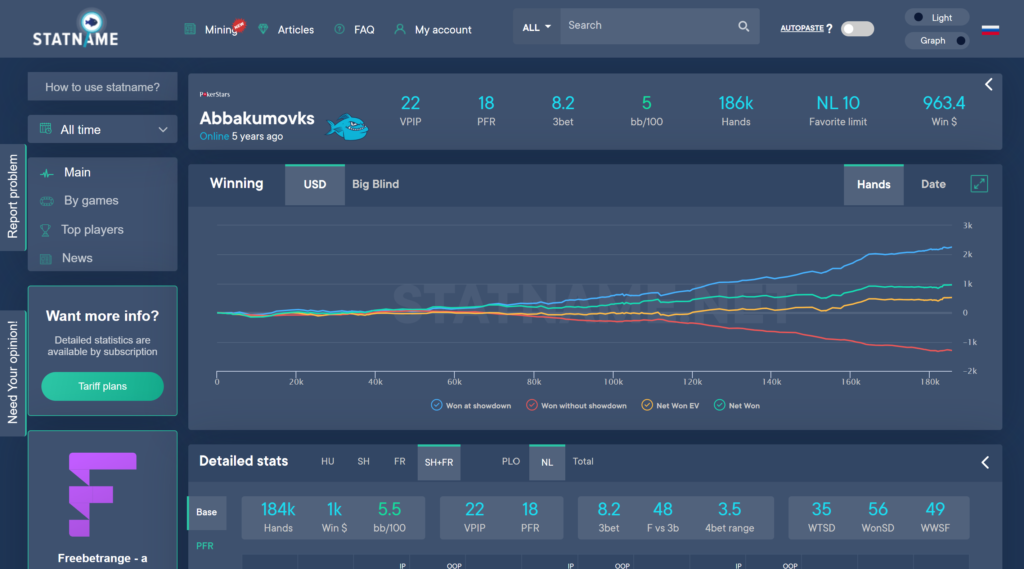
The profile then provides detailed statistics—over 100 metrics describing the player’s style at different stages of a hand:
- preflop—how often the opponent enters the pot and raises first in, how they respond to 3-bets and 4-bets both in and out of position, and how frequently they limp, cold-call (call another player’s opening raise), or squeeze;
- postflop—continuation-bet (c-bet) frequency on different boards, their response to a raise against their c-bet, and how often they raise another player’s c-bet;
- showdown—how often the opponent reaches showdown (WTSD), how frequently they win at showdown (WonSD), and how often they win pots without going to showdown—an important indirect indicator of aggressive or, conversely, passive play.
All stats can be filtered by table position—from UTG (early position) to BB (the big blind)—game format (heads-up, six-max, or full ring), specific stake, and month. This level of detail lets you see more than an abstract “average” playing style: it shows how the player is performing right now, at the exact stakes and in the exact format where you are about to face them.
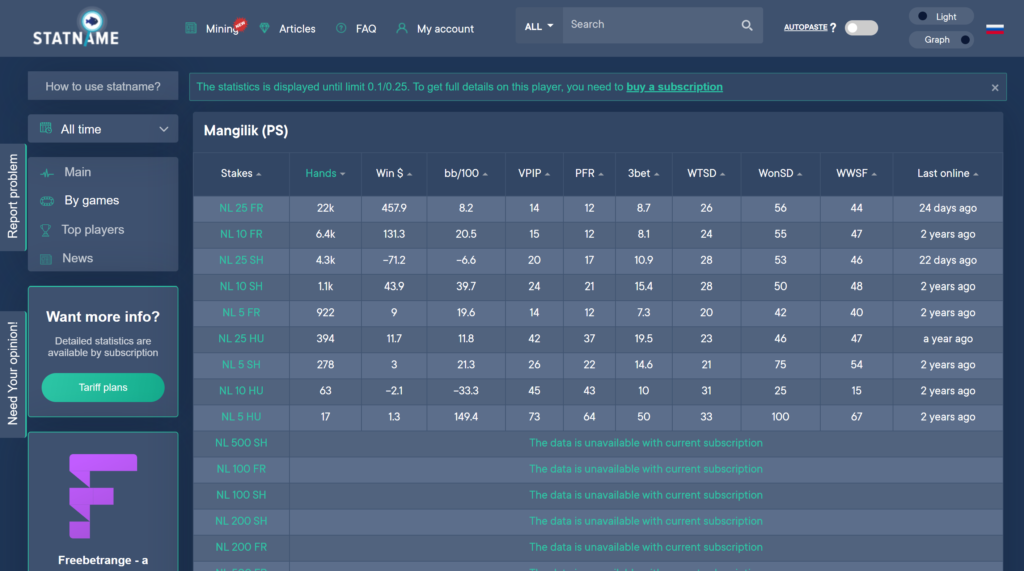
Table Selection and Finding Weaknesses
In addition to analyzing specific opponents, Statname’s statistics can be used for table selection. Before joining a game, you can quickly check the players at different tables and assess which ones have more clearly losing or recreational players and which are filled with strong regulars, allowing you to choose the most profitable option.
During play, detailed statistics on regulars can help you identify specific weaknesses, such as folding too often to 3-bets, rarely raising against a c-bet, or, conversely, showing excessive postflop aggression that can be exploited. This type of analysis is especially useful for beginners because it provides clear guidance on which opponent stats are worth examining instead of relying solely on their own observations at the table.
Compatibility: Formats and Poker Rooms
Statname is a browser-based service: it does not require you to install software on your computer and works on any operating system with a modern browser, including Windows, macOS, and Linux. The AutoPaste extension for automatically entering screen names is available as an add-on for Chromium-based browsers.
The service covers seven poker networks: PokerStars, GGPoker (PokerOK), 888poker, CHICO, WPN (Winning Poker Network, PokerKing, Americas Cardroom, Black Chip Poker), iPoker (RedStar, BetFair, Champion Poker), and the mobile PokerBROS network. Statistics are collected for Hold’em and Omaha cash games (Pot-Limit and No-Limit), starting from the lowest stakes.
As for its limitations, the service does not track tournaments (MTTs and Sit & Go’s), fast-fold formats such as Zoom, or six-card Omaha. Because the data comes from a shared pool of hands rather than an individual user’s personal database, a player’s profile may sometimes contain fewer hands than a full local tracker would show—especially at less popular stakes and poker rooms.
How to Get Started
You can get started in just a few steps:
- register on the Statname website;
- install the AutoPaste browser extension if you plan to use automatic screen name entry while playing;
- enter any opponent’s screen name manually or copy it from the table—statistics at NL/PL/PLO 25 are available free of charge immediately after registration;
- if necessary, subscribe to access higher stakes on the desired poker network.
Free access to NL/PL/PLO 25 is enough to try the service, understand how it works, and assess how conveniently you can incorporate third-party statistics into your session preparation before moving up to higher stakes.
Pricing
Access to NL/PL/PLO 25 is free at all poker rooms with no time limit. Higher stakes are available through paid subscriptions purchased separately for each poker network. Several subscription tiers are available based on the highest included stake, ranging from a few dollars to several dozen dollars per month. Discounts on the standard price are available when subscribing for several months in advance. A detailed description of the plans and prices is available on the product page.
Conclusion
Statname solves a problem that a conventional tracker cannot: showing you an opponent’s statistics before you have played even a single hand against them. Thanks to its shared database, which has been compiled since 2013, and convenient screen name search, the service is suitable both for quick table selection and for analyzing a particular regular while you play. Beginners should start with the free low-stakes plan, learn which stats matter and how to interpret them, and only then gradually move up to higher stakes and a paid subscription.

Featured software

Latest posts
-
 GGPoker Bans Third-Party Poker Software: Five New Security Measures Oct 18, 2026
 -
 Table Wizard Review: Table Organization and Automated Session Analysis Oct 17, 2026
 -
 PeakGTO Review: A GTO Trainer With an ELO Rating System From Jonathan Little’s Team Oct 16, 2026
 -
 GTOBase Review: Ready-Made GTO Solutions and Hand Analysis Oct 15, 2026
 -
 Simple Postflop Review: A GTO Solver for Heads-Up Pots from Preflop to River Oct 14, 2026
All the poker software you need, gathered in one place. Exclusive discounts, bonuses, latest news and updates.
Join now