Snap MDA Review: Player Pool Data Analysis vs. GTO Strategy
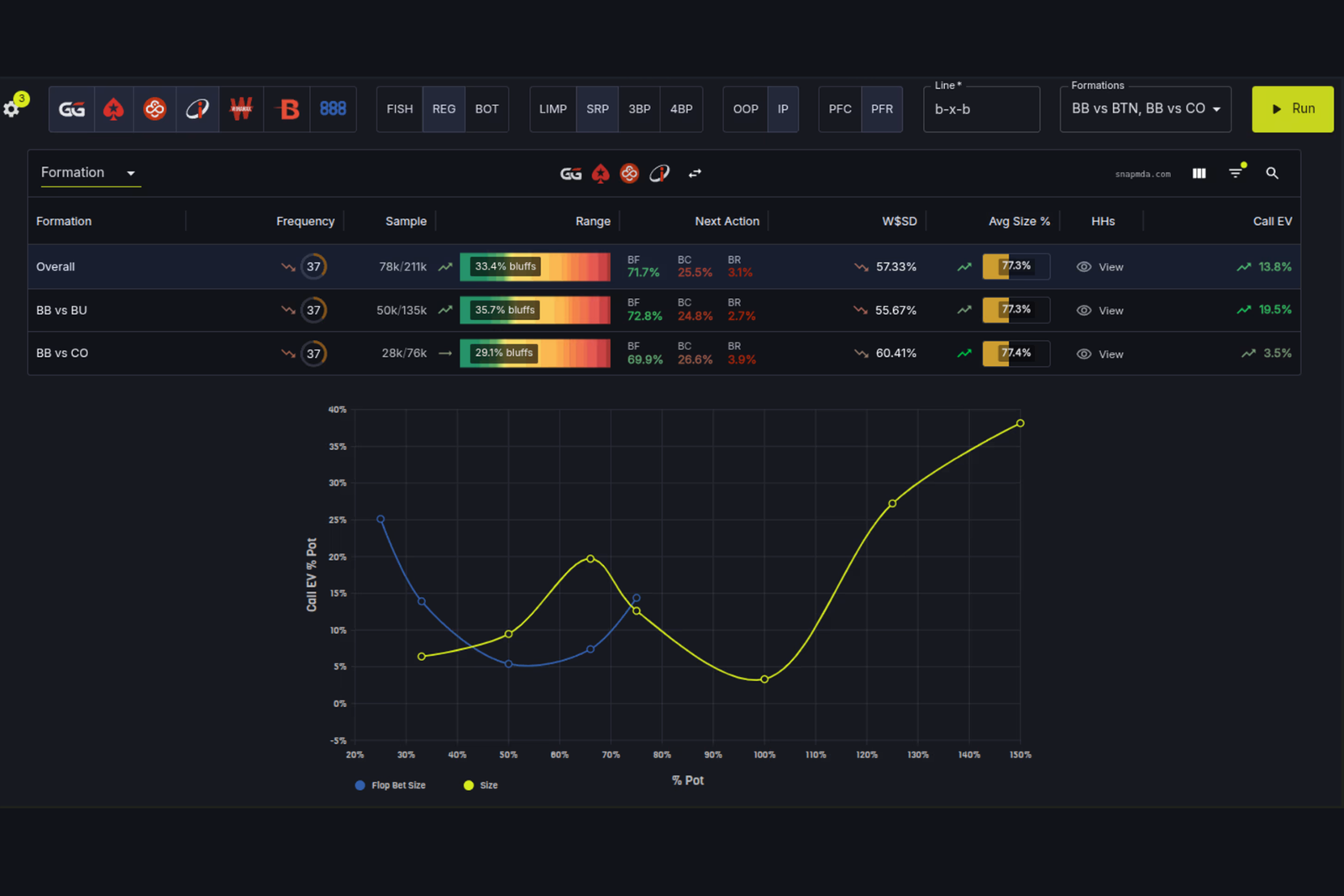
Snap MDA is a browser-based platform for analyzing large volumes of poker hands. The software provides access to databases containing hundreds of millions of cash game, tournament, and PLO hands, allowing users to retrieve statistics for any given situation in seconds: how often opponents bet on a particular board and which sizes they use, how play differs between specific positions, and how an individual opponent deviates from the player pool. Another major strength is the built-in comparison between actual population play and GTO strategy—the solver’s theoretically balanced strategy—which helps identify not only statistical tendencies but also specific leaks and exploits.
The tool is primarily designed for players who already follow a well-developed strategy and want to support their decisions with data from large hand samples rather than relying solely on their own notes about opponents at the table.
How the Analysis Works
Snap MDA organizes its data into several built-in databases: NLHE cash games, NLHE tournaments (including the PKO bounty format), 4-card PLO, 5-card PLO, and a separate database of PokerStars hands from the regulated markets of New Jersey, Michigan, Pennsylvania, and Ontario. Together, these databases contain several hundred million real hands. You can also connect your own database if needed—more on this in the private databases section below.
There is no need to review hands manually to obtain statistics for a specific situation. Instead, you describe the spot using a short string of action codes. For example, postflop X means check, B means bet or raise, C means call, F means fold, and a hyphen separates the streets. The string “B-B-BF” represents bets on all three streets, with one of the players eventually folding to the final bet. The software automatically finds all matching hands in the database and generates a report covering frequencies, bet sizes, and results. All query parameters are stored directly in the page URL, so you can bookmark a completed report or share it with another player via a link, and it will open with exactly the same settings.
Postflop Queries and GTO Comparison
The software’s main workspace is its postflop query builder. You can specify the board texture (the software includes 76 categories, ranging from basic textures such as monotone or two-tone flops to narrow categories such as “the river completes the flush draw after a two-tone flop”), set bet sizes for each street, and filter the sample by specific ranges of an opponent’s HUD stats. Multiway pots—hands involving three or more players—are also supported.
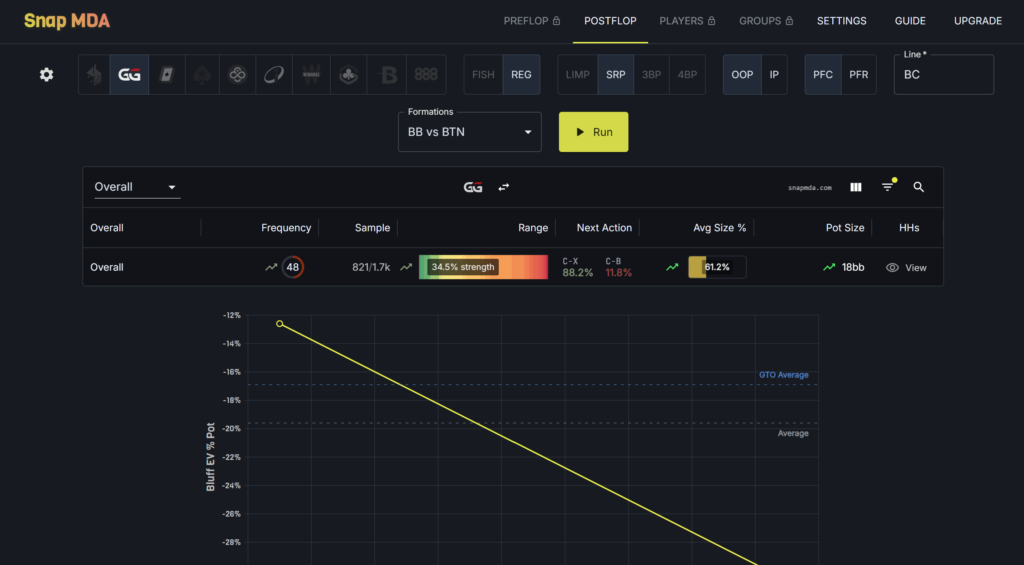
Bet sizes can be filtered as a percentage of the pot, as a multiple of the previous bet, or through broader S/M/L/OB categories (approximately 0–45%, 45–70%, 70–105%, and 105%+ of the pot, respectively). This is useful when the exact sizing matters less than the overall nature of the betting line: a small bet, a standard bet, or an overbet.
The most useful feature is the GTO comparison built directly into the same report. A keyboard shortcut switches the table between how the actual player pool plays and how the solver plays the same spot, while a trend icon next to each frequency shows whether it is higher or lower than the solver’s frequency. One important detail is that Snap MDA’s GTO comparison is based on 100bb 6-max cash game hands and 500NL-level preflop ranges. These are the specific conditions for which the solver simulations were run, so GTO comparisons are unavailable for multiway hands, tournaments, and games with antes.
Preflop Matrix and Range Analysis
Preflop analysis has a separate matrix for different position matchups. You can select a pair of positions—for example, a BTN open against a BB call—and view the frequency of each action with a 95% confidence interval, making it easy to assess how reliable a figure is given the available sample. As with postflop, preflop lines are described using a short string of action codes, but here hyphens separate individual players rather than streets. For example, “RC-RF-R” represents the first player opening, the second player 3-betting, the third player 4-betting, the first player calling, and finally the second player folding to the 4-bet.
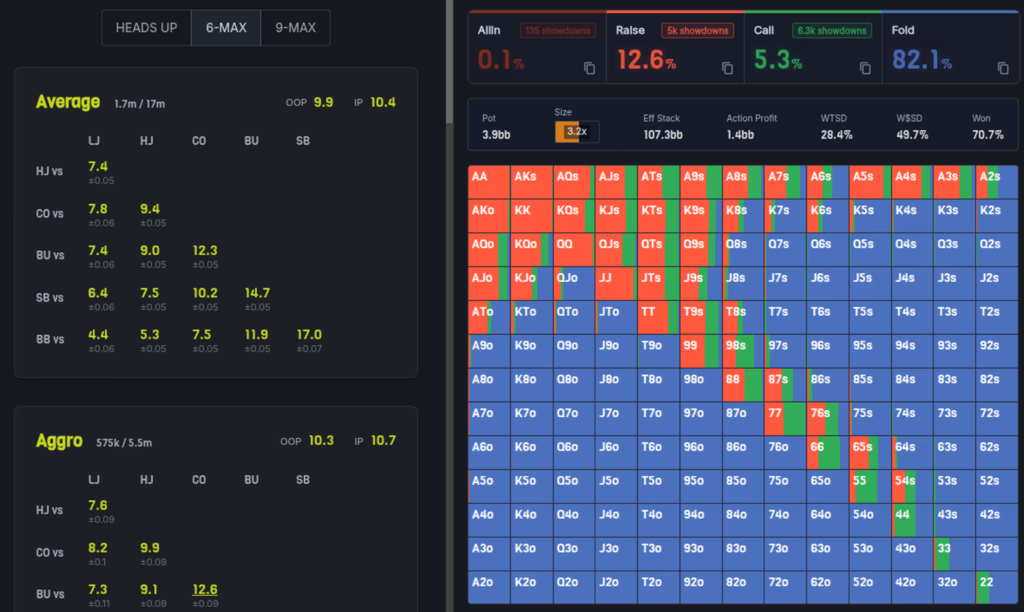
Clicking any frequency opens the reconstructed hand range for that action. This relies on a specific technical feature of the software: a player’s hole cards are known in only some hands and are almost never available when the player folds preflop, for example. As a result, directly calculating a range from visible showdowns would bias the results toward stronger hands. Snap MDA uses a model trained to estimate the probability that a hand would reach showdown under any runout and weights each known hand to account for that probability. In other words, it does not merely collect showdown hands—it reconstructs the full range while correcting for this bias. Any generated range can be copied and pasted into another tool or solver.
Opponent Profiling and Player Groups
The Players tab works like an advanced HUD in table format. You can search for a specific screen name or filter an entire player pool by poker room, stake, the presence of antes, and ranges of HUD stats, then view more than 200 metrics for each player or the entire sample. Values are color-coded according to their distribution within the selected pool, making it immediately clear how unusual a specific opponent’s stat is rather than showing only its absolute value. A winnings graph is also available, broken down into hands that went to showdown and hands won without showdown.
To quickly categorize opponents, the software classifies players as either “fish” or “regulars” based on the gap between their VPIP and preflop raise percentages, with an adjustment for short-handed tables. The player directory also includes a more detailed archetype classification—such as “aggressive and splashy” or “passive and sticky”—based on river aggression frequency and fold-to-river-bet frequency. These labels only appear once there are at least 2,000 hands on a player; until then, their status remains undefined.
Frequently used filters—such as specific screen names, stat ranges, poker room tags, or tendencies—can be saved as a named player group. You can then apply that group with one click to any postflop or preflop query, or directly within the Players tab, without rebuilding the filter each time.
Private Databases and Analysis of Your Own Play
In addition to its built-in databases, Snap MDA lets you upload your own hand histories and analyze them using the same tools. A dedicated “Hero” player type allows you to generate reports specifically for your own hands, find spots where your decisions deviate from GTO strategy, or compare your play with how an uploaded pool of opponents approaches the same situations. Dedicated macro filters—for example, a filter for “any river bet” entered as a single short code instead of listing every possible line—make it easier to find these spots in your own database.
PLO and Format-Specific Features
The PLO workflow is largely similar to NLHE, but there are several fundamental differences. Preflop ranges are not calculated for PLO at all; only postflop reports are available. Instead of comparing play against a GTO solver, the software compares it with the strategies of strong regulars in the player pool. It identifies a group of “good regulars” using its own set of statistical thresholds and compares a specific hand or spot with that group rather than with a theoretical equilibrium. The built-in databases cover 4-card and 5-card PLO, while 6-card PLO is available only by uploading your own private database.
Tournament support is marked as experimental. Basic tournament filters, such as knockout bounty information, are available, but the tournament mode is currently less developed than the cash game section.
Compatibility: Formats and Poker Rooms
Snap MDA is entirely browser-based. It works on any operating system through a modern web browser, with no desktop software to install and no mobile app required. The interface is in English.
The built-in databases cover NLHE cash games, NLHE tournaments (including PKOs), and 4-card and 5-card PLO, while 6-card PLO is supported only through private databases. The databases contain hands dating back to 2023 and cover stakes from approximately 50NL to 100kNL, including games with antes on GG and PokerStars, as well as a separate geographic sample from the regulated PokerStars markets in New Jersey, Michigan, Pennsylvania, and Ontario. Fast-fold formats such as Zoom and Blitz are not included. The software’s documentation includes a specific caveat regarding ACR hands: because of how the poker room provides hand histories, the sample of revealed hole cards is less representative than it is for other poker rooms.
Getting Started
You can start with a free account, which immediately provides access to 50NL data and postflop GTO comparisons at no cost. This allows you to test the query system and interface before committing to a paid subscription. When you need complete data for all stakes, custom reports, and private database uploads, you can activate a 7-day trial of any paid plan. A typical workflow is to select a spot, describe it with an action string or build it using board texture and sizing filters, and then compare the results with GTO data or a saved player group.
Pricing
Snap MDA’s plans differ primarily in price and billing period—monthly, quarterly, or annually—with progressively larger discounts for longer subscriptions. A detailed description of the plans and prices is available on the product page.
Conclusion
Snap MDA delivers the most value to players who already understand the fundamentals of poker strategy. It does not replace that knowledge; instead, it provides a way to test and refine it using data from hundreds of millions of real hands. Beginners should start with the free access and postflop GTO comparisons in simple spots, then gradually learn to build more complex queries, use board texture filters, and work with player groups. Once it becomes clear which stakes and volume of data they actually need, they can consider upgrading to a paid plan.

Featured software
Latest posts
-
 GGPoker Bans Third-Party Poker Software: Five New Security Measures Oct 18, 2026
 -
 Table Wizard Review: Table Organization and Automated Session Analysis Oct 17, 2026
 -
 PeakGTO Review: A GTO Trainer With an ELO Rating System From Jonathan Little’s Team Oct 16, 2026
 -
 GTOBase Review: Ready-Made GTO Solutions and Hand Analysis Oct 15, 2026
 -
 Simple Postflop Review: A GTO Solver for Heads-Up Pots from Preflop to River Oct 14, 2026
All the poker software you need, gathered in one place. Exclusive discounts, bonuses, latest news and updates.
Join now