PLO Genius Review: GTO Solver and Trainer for Pot-Limit Omaha
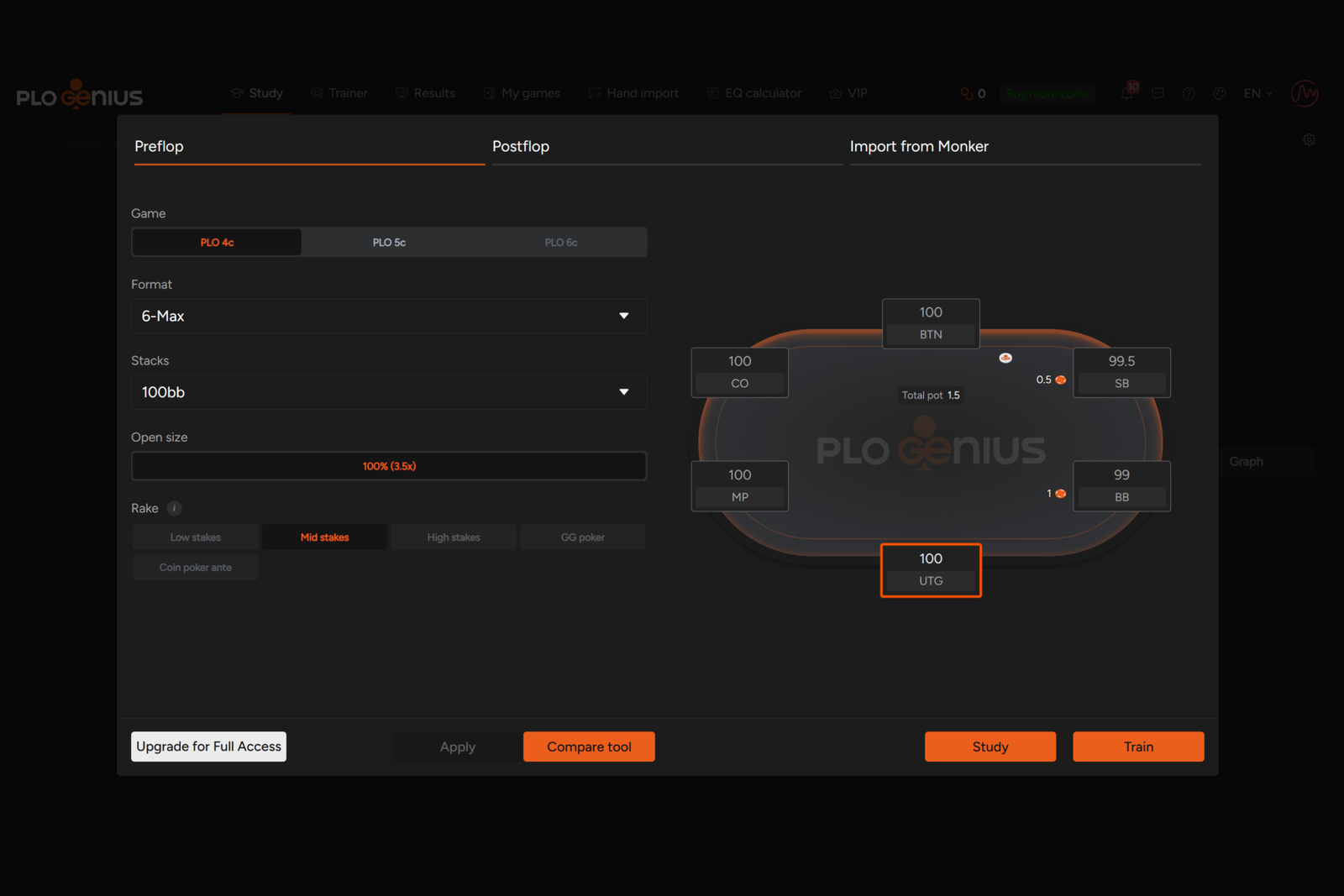
PLO Genius is an online tool for studying Pot-Limit Omaha that combines a ready-made database of GTO solutions with a trainer for practicing decisions. Instead of running calculations yourself or reviewing someone else’s video analyses, you get access to precomputed preflop and postflop strategies and can immediately use them to test your play. The software is designed to help with both fundamental questions—such as which ranges to open from each position—and more nuanced postflop situations: how to play on different board textures, when to make a continuation bet, and when to give up.
One distinctive feature of PLO Genius is that it supports three Omaha variants: traditional four-card PLO, five-card PLO5, and six-card PLO6, which is played far less frequently and for which high-quality precomputed solutions are harder to find.
Behind the Numbers: Solvers, Ranges, and Equilibrium Strategy
The software is built around a solver—a program that analyzes different ways to play a hand and finds a strategy from which neither player can increase their winnings by deviating from it alone. This is known as an equilibrium strategy or GTO strategy (game theory optimal). The result of a calculation is not a single “correct” action but a range: a set of hands showing how frequently each should be played in a particular way, whether by raising, calling, or folding.
Calculating these ranges for even a single hand requires substantial computing power, so PLO Genius computes them in advance and stores them in a library of ready-made solutions. Users simply select the relevant situation—the game format, stack depth, player positions, preflop action, and board—and receive an answer within seconds without running their own calculations. At the time of writing, the software’s library contains more than 11 million precomputed solutions, with around 20,000 new ones added every week.
Preflop: Ranges for Cash Games, Heads-Up, Tournaments, and Live Play
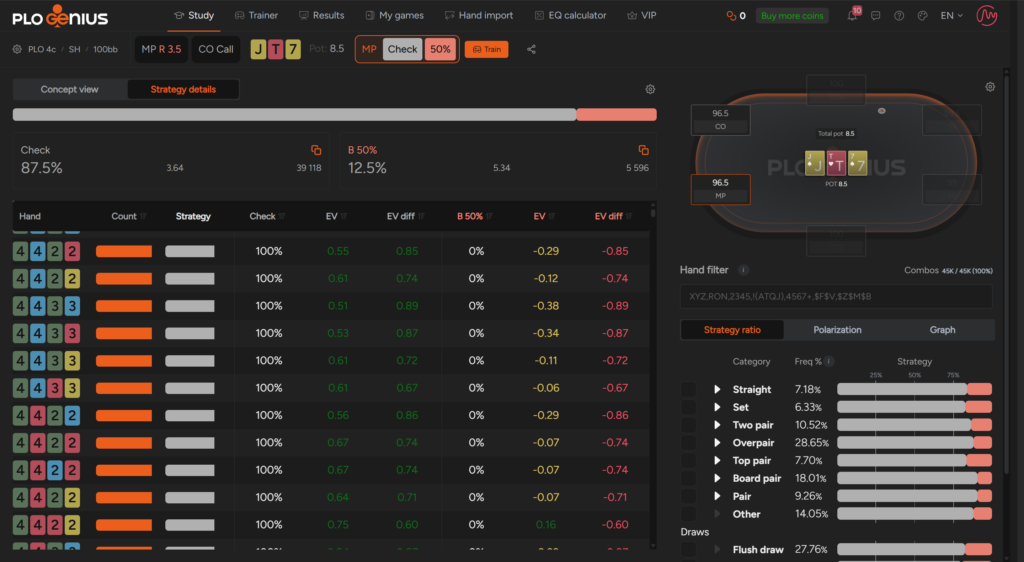
The preflop solutions section includes opening, calling, 3-betting, and 4-betting ranges for different positions at the table, from UTG (under the gun) to BTN (the button), including the small and big blinds (SB and BB). The ranges cover various stack depths, from short to deep, and are calculated separately for cash games, heads-up, tournaments (MTTs), and live play, which has its own blind structures and typical bet sizes.
The free plan provides access to a limited part of the library: ranges for 100-big-blind stacks in heads-up and 6-max PLO and PLO5 cash games. The full selection of stack depths and formats, including six-card PLO6, is available with the paid plans.
Postflop: Flop, Turn, and River Strategies
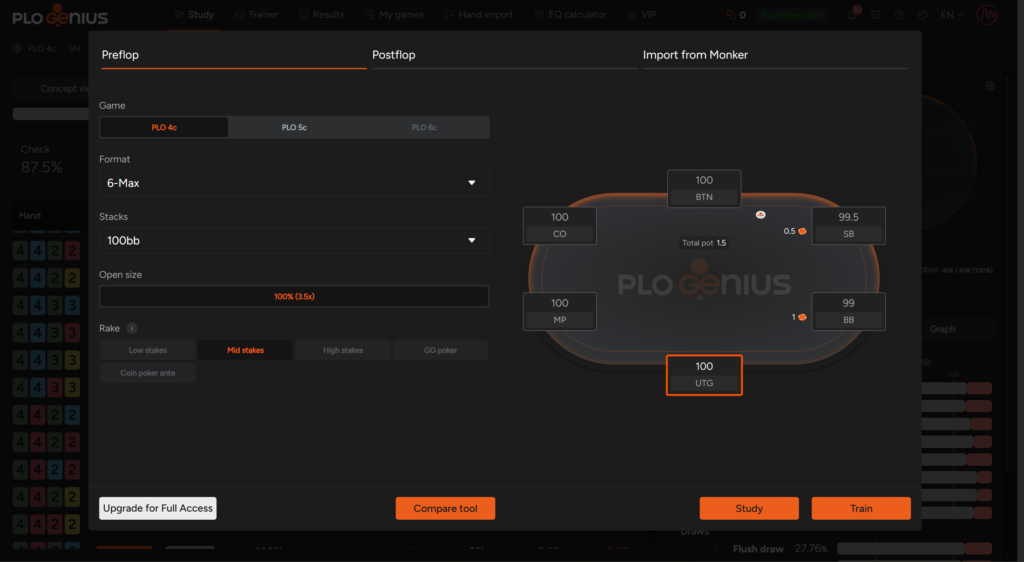
After preflop, the software shows how to proceed based on the board texture and runout—the cards dealt on the turn and river. The postflop library covers the main lines for playing a hand, including single-raised pots, 3-bet pots, continuation bets, and donk bets. It is continually expanding through both scheduled updates and user requests for specific spots.
If the library does not yet contain a ready-made solution for a particular situation, the highest-tier plan includes an on-demand solver. It calculates a strategy for a specific board at the user’s request, including multiway pots, which are among the most difficult situations to precompute.
Trainer: Practicing Decisions Instead of Memorizing
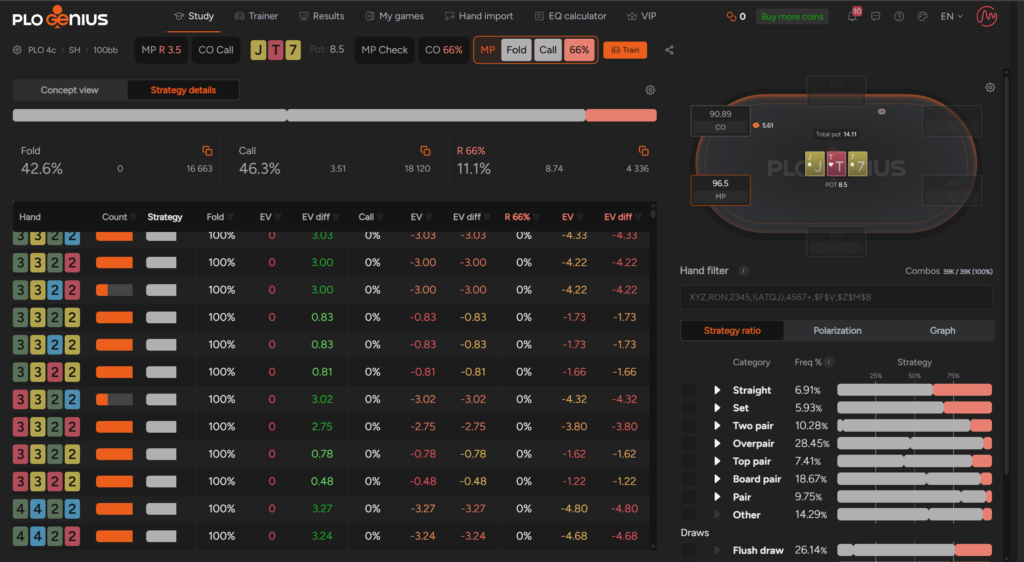
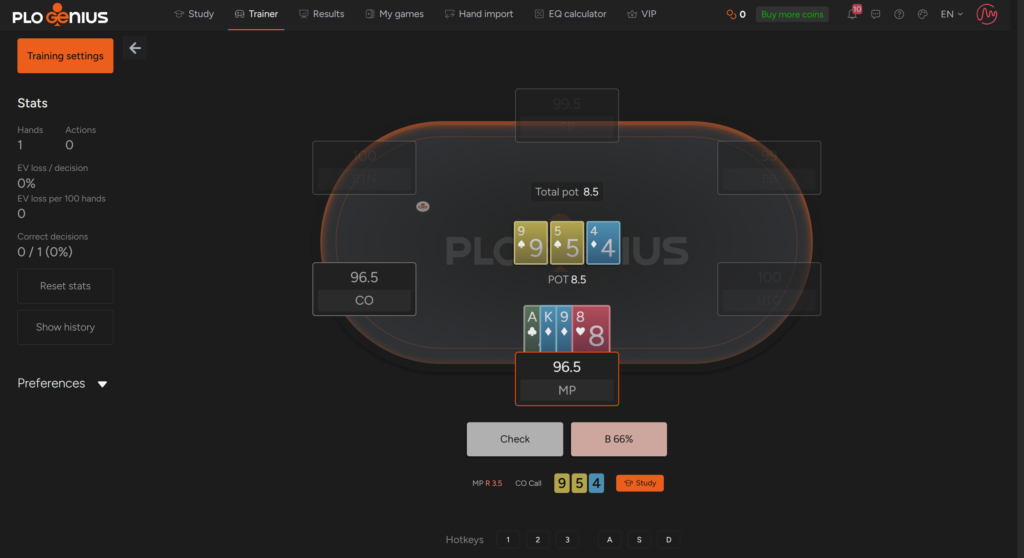
Ready-made ranges are easy to consult, but practice is what truly helps you internalize them. PLO Genius includes a dedicated trainer for this purpose: the software presents a random hand from the library and asks you to choose an action, then immediately shows how far your choice deviates from the optimal play and how much the mistake costs in big blinds (bb). This training format is more instructive than simply looking at a range grid because each mistake is immediately tied to a specific hand and a specific cost.
You can train at up to four tables simultaneously, making the exercise more similar to real playing conditions, where decisions must be made quickly across several tables at once. A separate training mode, Challenge Mode, is designed to help beginners understand the logic behind preflop ranges rather than simply memorizing them visually. The software tracks your progress and decision accuracy, allowing you to identify the topics or types of spots that still cause the most difficulty.
Aggregate Reports: Patterns Instead of Individual Hands
Individual ready-made solutions are useful when you need to analyze a particular hand, but beginners benefit more from seeing the broader logic. The software provides aggregate reports for this purpose. They group thousands of calculated situations by board texture and show the average action frequencies for each group as a whole. This helps you recognize patterns (“continuation-bet frequencies are usually lower on wet boards with flush draws”) instead of memorizing dozens of individual spots. This section is available with the highest-tier plan.
Importing Your Own Solutions and Exporting Ranges
For players who already calculate spots independently in MonkerSolver, PLO Genius lets them upload these solutions to their account and work with them through the same convenient interface as the software’s ready-made library, rather than analyzing raw solver output separately. One-click range exports and hand imports are also available, which can be useful for players who maintain their own database of notes and strategies. This section is intended for more advanced users and is included with the highest-tier plan.
Nonstandard Formats
In addition to standard PLO, PLO5, and PLO6, users can request solutions for nonstandard game variants, such as Hi-Lo or double-board games, through the in-app chat or the software’s Discord community. This is more of an additional option for players who venture beyond conventional formats than a core part of the library.
Compatibility: Formats and Platforms
PLO Genius runs entirely in a browser—the software does not need to be downloaded or installed, and all calculations are performed on the service’s servers. This makes it accessible from any device with a modern browser, including Windows and macOS computers as well as Android and iOS tablets and smartphones. The interface adapts to the screen size, although there is no dedicated mobile app. An internet connection of at least 10 Mbps is recommended for comfortable use.
In terms of game formats, the software supports PLO (four cards), PLO5 (five cards), and PLO6 (six cards) for cash games, heads-up, tournaments, and live play. Nonstandard variants, such as Hi-Lo and double-board games, are also available upon request.
Getting Started
You can get started for free: registration is free, and part of the library—preflop ranges for 100bb stacks in heads-up and 6-max PLO and PLO5 cash games—is available with the free plan without any time limit. The next steps will usually look like this:
- Register and open the preflop solutions section to study the opening ranges for your usual game format.
- Try the trainer with the free spots to understand how the training and mistake feedback work.
- If necessary, upgrade to a paid plan to access the full library of stack depths, postflop solutions, aggregate reports, and other features.
There are no special technical requirements for getting started—all you need is a modern browser and a stable internet connection.
Pricing Plans
PLO Genius offers a free plan with a limited library and two paid plans—Edge and PRO—which differ in the formats they support, the depth of their postflop strategy coverage, and access to tools such as aggregate reports, the on-demand solver, and imports of your own MonkerSolver solutions. A detailed description of the plans and prices is available on the product page.
Conclusion
PLO Genius handles two tasks that usually require separate programs: it provides a ready-made library of GTO solutions for Pot-Limit Omaha and offers a trainer for putting them into practice. For Omaha beginners, it is a convenient starting point. There is no need to understand how a solver works or calculate anything yourself—you can simply progress from fundamental preflop ranges to more complex postflop situations. It makes sense to learn the software gradually: begin with your preferred format and usual stack depths, reinforce your preflop knowledge in the trainer, and only then move on to postflop strategies and more advanced tools such as aggregate reports.

Featured software

Latest posts
-
 GGPoker Bans Third-Party Poker Software: Five New Security Measures Oct 18, 2026
 -
 Table Wizard Review: Table Organization and Automated Session Analysis Oct 17, 2026
 -
 PeakGTO Review: A GTO Trainer With an ELO Rating System From Jonathan Little’s Team Oct 16, 2026
 -
 GTOBase Review: Ready-Made GTO Solutions and Hand Analysis Oct 15, 2026
 -
 Simple Postflop Review: A GTO Solver for Heads-Up Pots from Preflop to River Oct 14, 2026
All the poker software you need, gathered in one place. Exclusive discounts, bonuses, latest news and updates.
Join now