Asian Hand Converter Review: How to Get a HUD on Asian Poker Apps
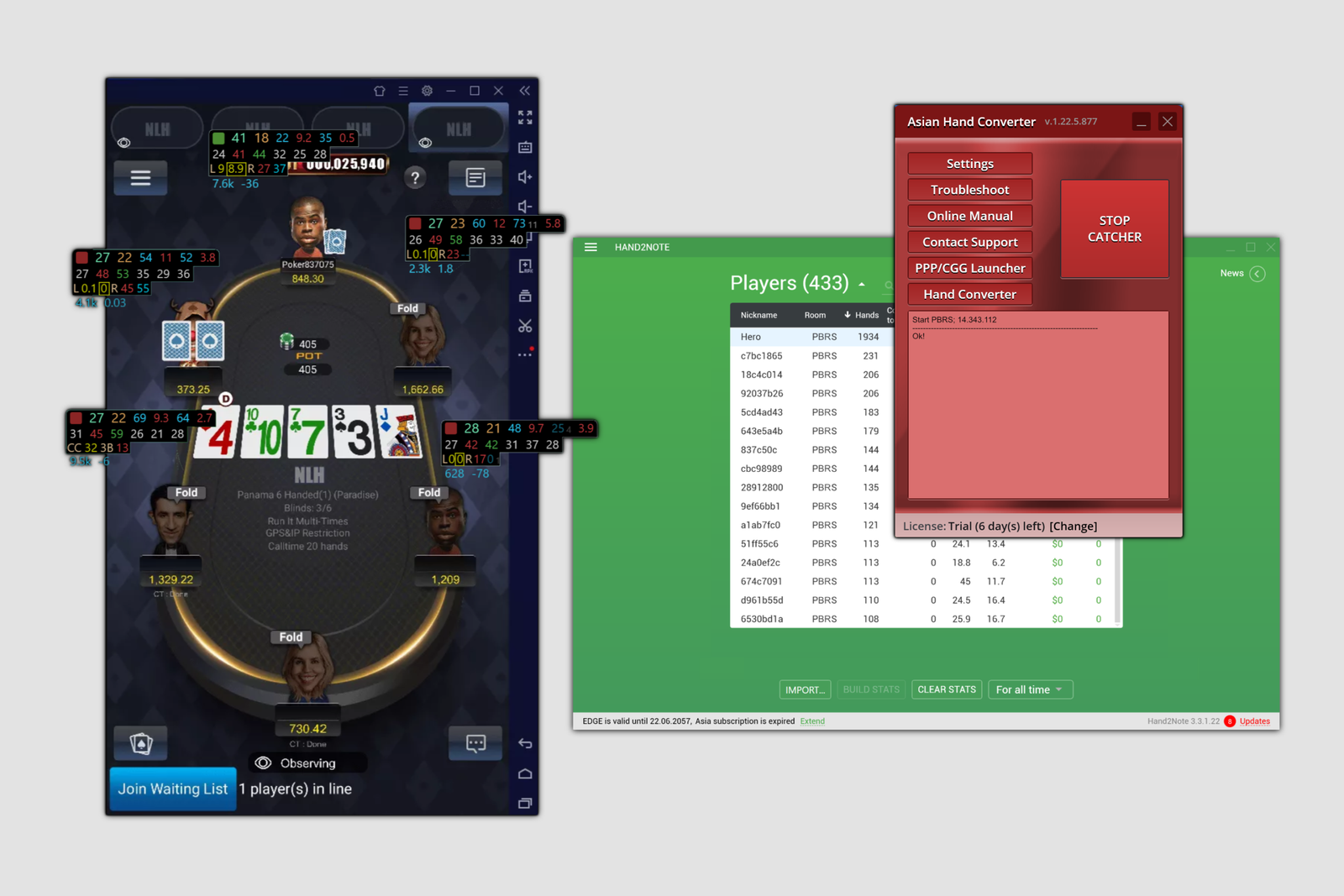
Asian poker rooms work differently from conventional desktop clients: games are played through a mobile app, which is run on a computer using an Android emulator—a program that lets you install and open mobile apps on a PC. These apps do not provide hand histories in a standard format, so regular poker trackers simply cannot see what is happening at the tables or compile statistics on your opponents.
Asian Hand Converter solves this exact problem. The program captures hand data inside the emulator and converts it into hand history files that a tracker can read. This makes it possible to use a HUD—an on-table overlay displaying opponent statistics—and maintain a complete database of played hands on Asian poker rooms.
From a Hand in the App to On-Screen Statistics
At the heart of the program is a separate process called a catcher. The catcher runs alongside the emulator and poker app, monitoring what happens during each hand: which cards are dealt, which bets are made, and how the hand ends. As soon as a hand is completed, the catcher compiles this data into a hand history file—the same format trackers normally receive from desktop poker rooms.
The tracker then takes over: it reads these files from the specified folder, updates the statistics, and displays the HUD directly over the emulator window running the poker app. From the player’s perspective, everything looks the same as it does in a conventional poker room. The only difference is that Asian Hand Converter acts as an intermediary between the app and the tracker.
Supported Poker Rooms and Trackers
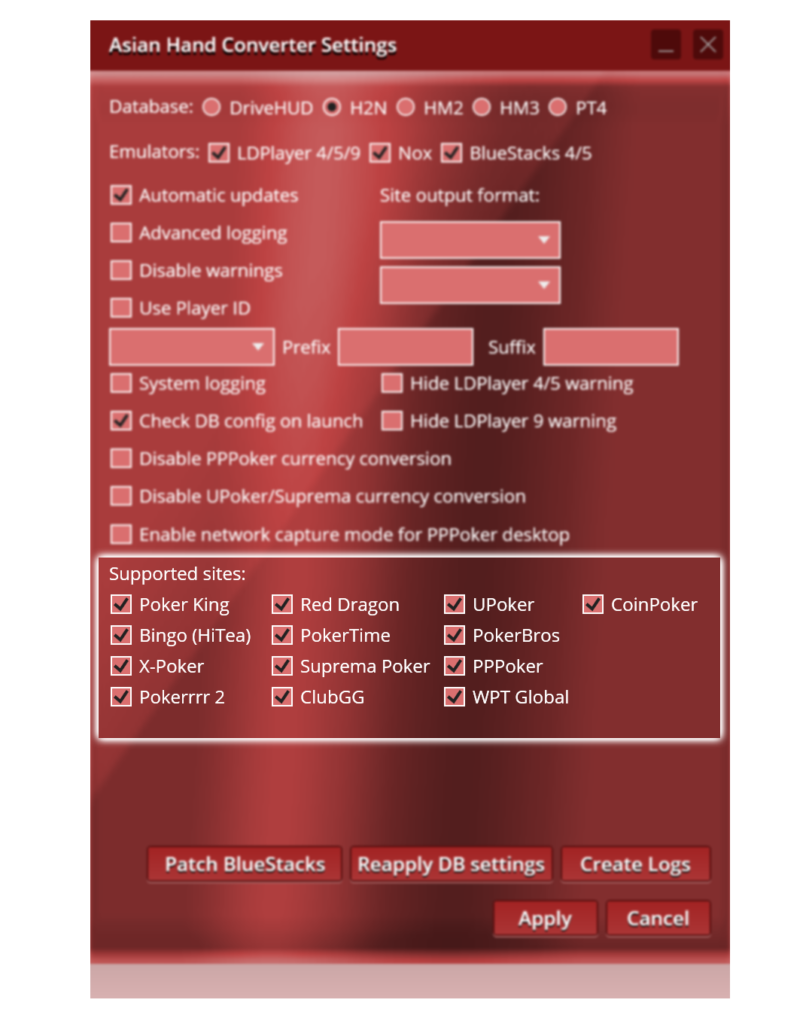
The list of supported Asian poker apps is extensive and includes PokerBros, PPPoker, WPT Global, ClubGG, X-Poker, Suprema Poker, PokerKing, Red Dragon, Bingo Poker, PokerTime, UPoker, Pokerrrr 2, and several others. Supported trackers include Holdem Manager 3, PokerTracker 4, DriveHUD, and Hand2Note, so you can continue using your preferred tracker while adding support for Asian poker rooms.
The plans differ by stakes rather than by the number of poker rooms. Some rooms—including PokerBros, UPoker, PPPoker, Suprema Poker, and ClubGG—require the more expensive plan regardless of the stakes you play, while other platforms are available on the lower-tier plan when playing at smaller stakes. Keep this in mind when choosing a plan: both your stakes and the specific poker room you intend to play on matter.
Working With an Emulator
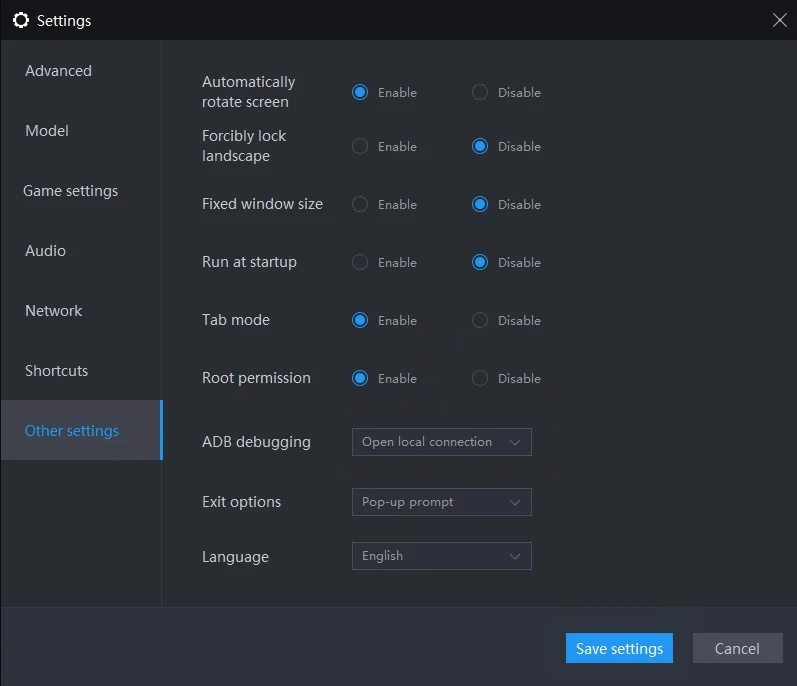
Because Asian poker apps are designed for mobile devices, you need an Android emulator to play on a computer. Supported options include LDPlayer, BlueStacks, and Nox, each with its own version and configuration requirements. Starting with certain versions of LDPlayer, you must also enable root access and configure ADB debugging—the protocol through which the emulator exchanges data with programs on your computer. Without it, the catcher will not be able to see what is happening inside the emulator. This is the only part of the setup that may require extra attention from beginners. Once configured, the emulator, poker app, and catcher run in the background without interfering with your game.
One advantage of this approach is the ability to play several tables at once by opening a separate emulator instance for each one or using the emulator’s own multi-window mode, which is convenient for multitabling.
Game Formats and the Tracker HUD
The program tracks both cash games and tournaments, works with Hold’em and Omaha, and also supports less common formats such as Short Deck and hands with a straddle—a voluntary additional blind bet placed before the cards are dealt. This means the HUD and statistics remain available regardless of the specific format you choose to play.
The HUD and popups—windows displaying more detailed player statistics—work exactly as they do when playing through a regular desktop client. The available stats, their appearance, and display logic are determined by the tracker’s settings rather than Asian Hand Converter. The converter simply supplies the tracker with data.
Compatibility: Formats and Platforms
Asian Hand Converter runs on Windows and is designed to work with an Android emulator. There is no separate native version for other operating systems, so Mac users will need to set up a virtual machine or another Windows environment. The software supports the extensive range of Asian poker apps listed above, as well as Holdem Manager 3, PokerTracker 4, DriveHUD, and Hand2Note. It also works with specific versions of LDPlayer, BlueStacks, and Nox. Since emulators are updated regularly, you should check the exact list of supported versions before installation.
Getting Started
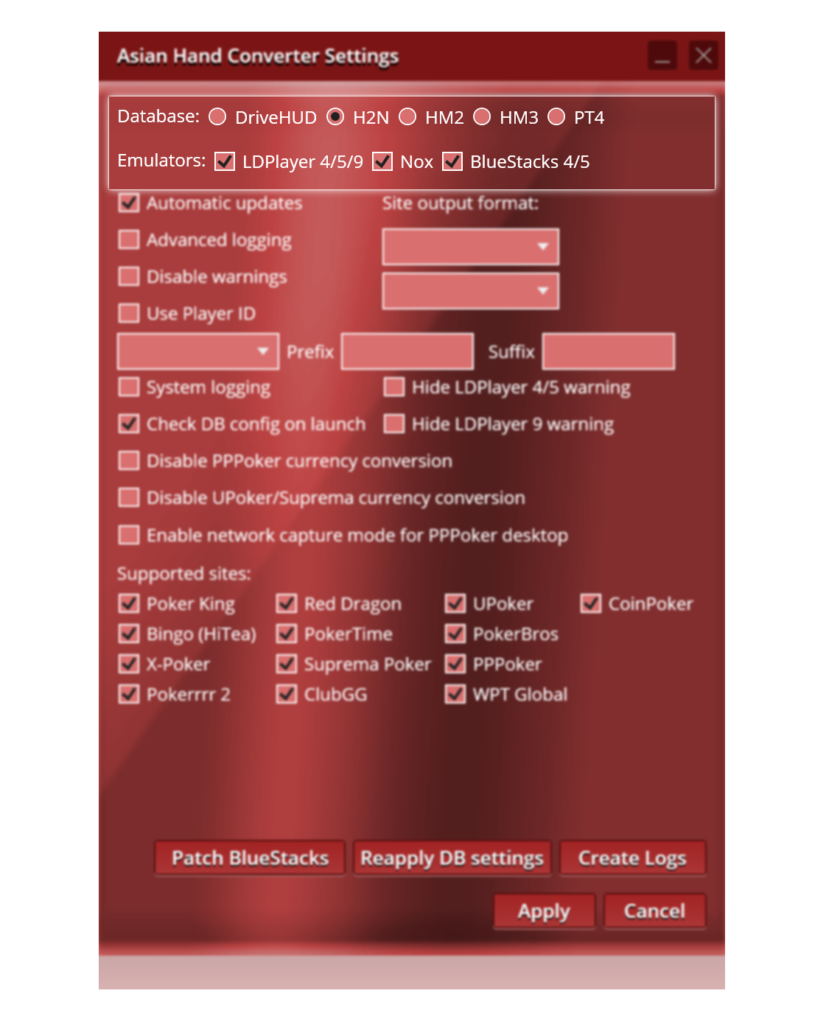
You can get started in a few straightforward steps:
- Install one of the supported Android emulators and the required poker app inside it.
- If necessary, enable root access and ADB debugging in the emulator settings. This mainly applies to newer versions of LDPlayer.
- Download and install Asian Hand Converter, then activate the trial period or enter your serial number after purchase.
- Specify the path to the Asian Hand Converter hand history folder in your tracker’s settings.
- Launch the catcher before you start playing and make sure the HUD appears over the table.
Following these steps allows you to verify that the entire emulator–app–Asian Hand Converter–tracker setup is working correctly before you sit down at real-money tables.
Pricing Plans
The plans are divided into two tiers based on the poker rooms you want to access rather than the number of apps used simultaneously. There is also a separate option that includes DriveHUD, with the annual plan costing less than paying monthly. A detailed breakdown of the plans and prices is available on the product page.
Conclusion
Asian Hand Converter solves a specific and relatively narrow problem: it provides a HUD and statistics on mobile Asian poker apps that do not offer these features themselves. For beginners, the most sensible approach is to start with the trial period on a single poker room using a familiar tracker, learn how to configure the emulator, and only then gradually add more platforms and game formats.

Featured software


Latest posts
-
 GGPoker Bans Third-Party Poker Software: Five New Security Measures Oct 18, 2026
 -
 Table Wizard Review: Table Organization and Automated Session Analysis Oct 17, 2026
 -
 PeakGTO Review: A GTO Trainer With an ELO Rating System From Jonathan Little’s Team Oct 16, 2026
 -
 GTOBase Review: Ready-Made GTO Solutions and Hand Analysis Oct 15, 2026
 -
 Simple Postflop Review: A GTO Solver for Heads-Up Pots from Preflop to River Oct 14, 2026
All the poker software you need, gathered in one place. Exclusive discounts, bonuses, latest news and updates.
Join now